Author: codenest.tec

  • The MVP Approach: Launching Your Startup App Faster

    The MVP Approach: Launching Your Startup App Faster

    A large portion of startups don’t fail because the idea is bad. They fail because the founders spend a year perfecting features nobody requested. The pattern is predictable: long development cycles, ballooning budgets, and assumptions that never get tested in the real world.

    The smarter play is the MVP — a Minimum Viable Product. Not a buggy draft. Not a half‑built app. A complete, functional product with minimum features required to validate demand.

    It’s the difference between spending twelve months crafting a hypothetical masterpiece and spending three months shipping something users can actually react to. In 2025, speed‑to‑market is no longer optional — it’s survival.


    The Cupcake vs. Wedding Cake Model

    Imagine you’re a baker.

    A client orders a wedding cake and you disappear for three weeks to perfect it. They’re hungry long before it’s finished. That silence — that absence — kills their excitement.

    The MVP flips the script.

    Deliver a cupcake first. Small. Complete. Edible. It proves your flavor, your frosting, and your expertise. If they like it, you earn the right to bake the wedding cake later.

    Same with apps:

    • full platform with ten dashboards and AI integrations → Wedding Cake
    • a working core product where a user can sign up and solve one problem → Cupcake

    The alternative analogy applies:

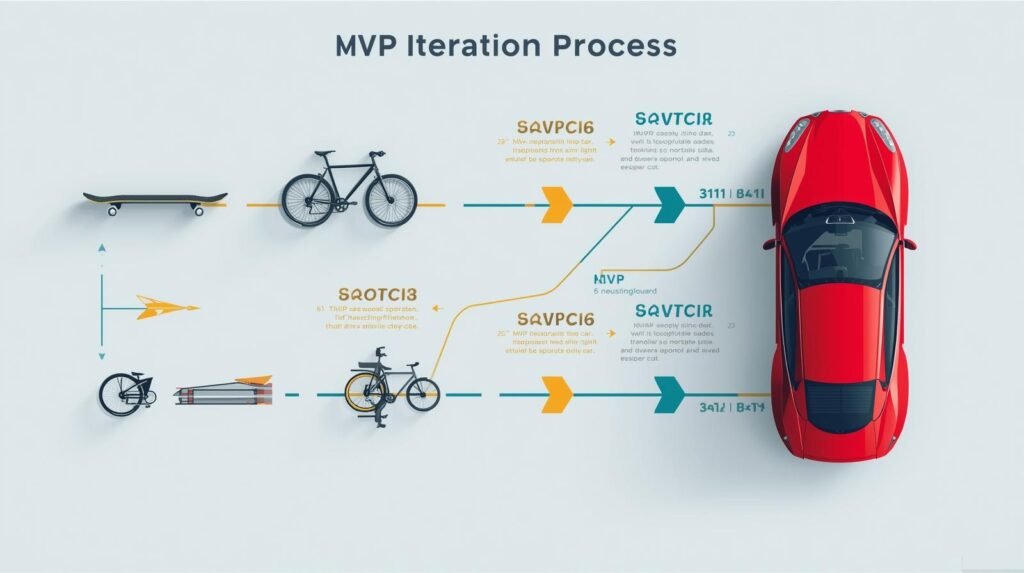
    Skateboard → Bike → Car

    Not:

    Wheel → Frame → Engine → Car.

    The skateboard moves. The wheel does not.

    Movement matters.


    Saving Cash: The Runway Problem

    Startups don’t die because of bad concepts. They die because they run out of money.

    Every founder has a runway — the number of months before cash hits zero.

    MVPs extend that runway.

    A nine‑month development cycle burns capital fast. Salaries, design revisions, server costs, and scope creep eat financial reserves. A three‑month MVP, by contrast, preserves resources and creates an opportunity to validate demand before scaling.

    When you pursue minimum viable product development, you minimize financial exposure. You spend less on assumptions and more on proof. Investors appreciate discipline. Customers appreciate speed.

    The harsh truth:

    Funding dries up faster than founders think. The MVP is not a hack; it’s protection.


    Identifying Scope Creep Before It Destroys the Budget

    Scope creep is subtle.

    It starts with:

    “Users will want dark mode.”

    Then:

    “Let’s add in‑app chat.”

    Then:

    “We should add analytics dashboards.”

    Before long, your MVP becomes a full‑blown enterprise platform — without a single real user.

    Founders often chase their imagination instead of market feedback. The discipline lies in separating:

    • Must‑Have → Core value
    • Nice‑to‑Have → Luxury features

    Examples:

    Must‑Have: Create account, complete primary task, pay.
    Nice‑to‑Have: Leaderboards, custom themes, gamification.

    If it doesn’t serve the core utility or revenue model, it waits.

    Code Nest’s job is often saying “No” more than “Yes.” Because guarding the scope protects the runway.


    The Feedback Loop: Data Beats Assumptions

    You think you understand the user.

    You don’t. Not until they use your product.

    MVPs expose assumptions:

    • Will users pay?
    • Which features matter?
    • Which features get ignored?

    Instead of:

    Design → Build → Hope

    You operate:

    Launch → Observe → Improve

    That loop turns a risky guess into an informed iteration. It’s not slower; it’s exponentially faster. You deliver what users actually value — not what you think they value.

    Real market validation begins after launch, not before.


    How Code Nest Accelerates MVP Launch

    Our method is simple:

    Build fast. Build lean. Build scalable.

    We avoid over‑engineering. You don’t need cloud clusters designed for a million users when you currently have none. You need a stable, scalable foundation that can evolve once traction begins.

    We use modern frameworks like Next.js or React Native for a reason:

    • reusable components
    • rapid development cycles
    • scalable architecture
    • low maintenance overhead

    We target a 90‑day launch timeline because market validation shouldn’t take a year.

    Our goal isn’t to win awards for elegance. It’s to get you customers, feedback, and revenue before your budget collapses.


    The Real World Benefits of MVP First
    Speed to Market

    Competitors launch faster.
    Users move on quickly.
    Funding cycles shifted — investors expect traction, not theory.

    The earlier you launch, the sooner you learn.

    Lower Cost to Failure

    Failure at $20,000 is a lesson.
    Failure at $100,000 is a shutdown.

    Pivot Capability

    If your idea needs a shift, you can shift.

    No sunk cost guilt.
    No attachment to unnecessary features.
    No emotional investment in fantasy.

    Real Data Over Opinions

    Customer clicks outweigh founder imagination.

    Every successful startup understands this principle:

    Real feedback > long planning cycles.


    When MVP Is NOT the Right Choice

    There are exceptions:

    • high‑risk medical apps
    • apps requiring regulatory compliance
    • mission‑critical safety software

    But for:

    • marketplaces
    • SaaS products
    • mobile apps
    • booking platforms
    • niche utilities

    An MVP is the logical first step.


    What an MVP Should Deliver

    A true MVP should:

    • solve one core problem
    • onboard users easily
    • validate demand
    • collect feedback
    • accept payments (if required)

    It should NOT:

    • attempt to serve everyone
    • chase vanity features
    • spend months perfecting UI polish

    A working product beating a perfect idea — that’s the mindset.


    Conclusion

    Perfection is expensive. Delay is fatal.

    A live app with limited features is infinitely more valuable than a perfect app still trapped in development. In 2025, markets reward momentum. Customers reward clarity. Investors reward discipline.

    If you’re sitting on an idea, sketching screens, and waiting for the “right moment,” you’re already losing time. The right moment is when users can start validating — not when every feature is built.

    Have an app idea? Let Code Nest scope your MVP and get you to market in 90 days.

  • Core Web Vitals: How Page Speed Affects Your Google Ranking

    Core Web Vitals: How Page Speed Affects Your Google Ranking

    The Silent Ranking Killer: Speed

    You built a polished website. The design is strong. The content is solid. Yet, when you search your main keyword, your site sits on Page 2.

    You wonder why weaker competitors rank higher.

    Here’s the uncomfortable truth:

    Google does not reward the “prettiest” website.
    Google rewards the website that delivers the fastest, smoothest experience.

    If your site takes too long to load or reacts slowly to taps and clicks, Google treats it as a liability. And it buries liabilities.

    Core Web Vitals are Google’s standardized health report card. They measure whether your website respects the user’s time and attention. Fail the tests, and your rankings stagnate—no matter how impressive your content strategy is.

    Think of your website as a digital storefront.
    If the door jams and customers struggle to enter, they turn around. Google sees that behavior and reacts accordingly.


    The 3 Pillars of Web Health

    Core Web Vitals consist of three measurable signals. Together, they define whether your site feels fast, stable, and responsive.

    1️⃣ LCP (Largest Contentful Paint)

    What it measures: How quickly your main content becomes visible.

    Not the full page.
    Not the scripts.
    The first meaningful content.

    If the hero banner, product image, or headline appears after 2.5 seconds, you lose attention and trust.

    More importantly:
    Users abandon slow sites quickly. Google’s RankBrain detects this abandonment and downgrades ranking potential.

    Business translation:
    A slow‑loading hero image is equivalent to a store with a door that takes five seconds to open. Customers won’t wait.


    2️⃣ INP (Interaction to Next Paint) — The 2025 Standard

    INP replaced FID. This isn’t theoretical. It is fully enforced.

    INP measures responsiveness when a user interacts:

    • clicking “Add to Cart”
    • opening a menu
    • selecting filters

    If the interface freezes, jitters, or ignores input, users panic, tap again, or quit.

    Every delayed interaction is a lost conversion.

    This is no longer optional. INP is now one of the strongest ranking factors for engagement‑driven sites, especially:

    • e‑commerce
    • SaaS dashboards
    • booking systems

    If your site causes rage clicks, Google’s algorithms detect it and penalize accordingly.


    3️⃣ CLS (Cumulative Layout Shift)

    CLS tracks visual stability.

    If:

    • text shifts
    • buttons bounce
    • ads push content down

    You trigger frustration.

    That agitation sends a behavioral signal to Google:
    This experience is sloppy. It cannot be trusted.

    CLS explained in plain business terms:
    A shifting website is like handing a customer a contract and constantly changing the wording while they read.

    No one signs.
    No one converts.


    Speed = Revenue (Not Opinions — Data)

    Fast sites outperform slow sites. This is proven.

    • Amazon reports that each 100ms of delay = 1% loss in revenue.
    • Walmart recorded 2% increase in conversions for every second improvement.

    Page speed is not a “developer checkbox.”
    It is a revenue engine.

    A strong Core Web Vitals score improves:

    • Conversion rate
    • Google Ads quality score
    • SEO ranking
    • Time on site
    • User trust signals

    You could spend $50,000 on ads, social media, and content…

    …but if your site loads slowly, that investment bleeds.

    Fixing Web Vitals is the highest‑ROI technical improvement a business can make. Period.


    Mobile‑First Indexing Is Ruthless

    This is where business owners misjudge performance:

    They view their site on:

    • fast office Wi‑Fi
    • a high‑end MacBook
    • modern browsers

    Google evaluates your site under entirely different conditions:

    • mid‑tier Android
    • throttled 4G
    • high latency
    • background app load

    If your site only performs well on expensive hardware, you fail the audit.

    And if you fail mobile, you fail ranking across the board.

    Google does not index “desktop first.”

    Mobile‑first indexing is now the norm.
    A poor mobile experience is a ranking death sentence.


    The Most Common Killers of Core Web Vitals

    You don’t need a complex audit to identify the culprits.
    95% of slow sites suffer from:

    1️⃣ Oversized Images

    4MB hero banners.
    Unoptimized PNGs.
    Stock photos straight from DSLR cameras.

    Switch to:

    • WebP
    • AVIF
    • Dynamic resizing
    • Lazy loading

    2️⃣ Excess JavaScript & Tracking

    Every tracking script steals milliseconds:

    • heatmaps
    • chat widgets
    • popups
    • tag managers
    • video embeds

    When they stack, responsiveness tanks.

    3️⃣ Render‑Blocking Code

    CSS and JS injected in the <head> shrinks LCP.

    Minify.
    Defer.
    Tree‑shake.

    4️⃣ Cheap Hosting

    Shared hosting collapses under traffic spikes.

    Server response time alone can tank your LCP score.

    5️⃣ Excessive DOM Nodes

    Bloated page builders add unnecessary layers.

    A clean architecture wins.


    The Digital Storefront Analogy

    Imagine a clothing store with:

    • heavy doors
    • flickering lights
    • shelves that collapse
    • checkout that freezes

    No matter how premium the product is, customers won’t buy.

    A slow website is that storefront.

    Users don’t wait.
    Google sees them leave.
    And it ranks competitors who offer smoother experiences.

    Speed is not a luxury—it’s the entry fee to compete.


    What Code Nest Fixes (The Professional Way)

    This is where most businesses get misled:

    They install a caching plugin.
    They see a fake “boost.”
    Google still flags their site.

    Why?

    Because plugins don’t solve structural problems.

    Our Core Web Vitals optimization service focuses on actual engineering:

    We fix the root causes:

    • Convert assets → WebP/AVIF
    • Reduce JavaScript bundles
    • Implement lazy loading & code splitting
    • Optimize INP by removing long tasks
    • Minify CSS and inline critical styles
    • Upgrade hosting & CDN routing
    • Use preconnect, preload, and HTTP/2

    We don’t tape cracks.
    We rebuild foundations.

    The result:

    • faster load
    • smoother interaction
    • stable visual layout
    • better rankings
    • higher conversions

    Bottom Line: Performance = Ranking = Sales

    Search engines reward websites that respect users’ time.

    If your site loads quickly, responds instantly, and remains visually stable, Google sees your business as trustworthy and valuable.

    You gain:

    • higher rankings
    • lower ad costs
    • better conversion rates
    • stronger engagement
    • improved ROI

    Ignoring Core Web Vitals is not simply an SEO oversight.
    It is lost revenue.


    Call to Action

    If you want clarity, not guesses:

    Get a free Core Web Vitals Snapshot from Code Nest.

    We’ll tell you:

    • where your site fails
    • how to fix it
    • how fast it can get
    • and how it impacts ROI

    No jargon.
    No gimmicks.
    Just performance.

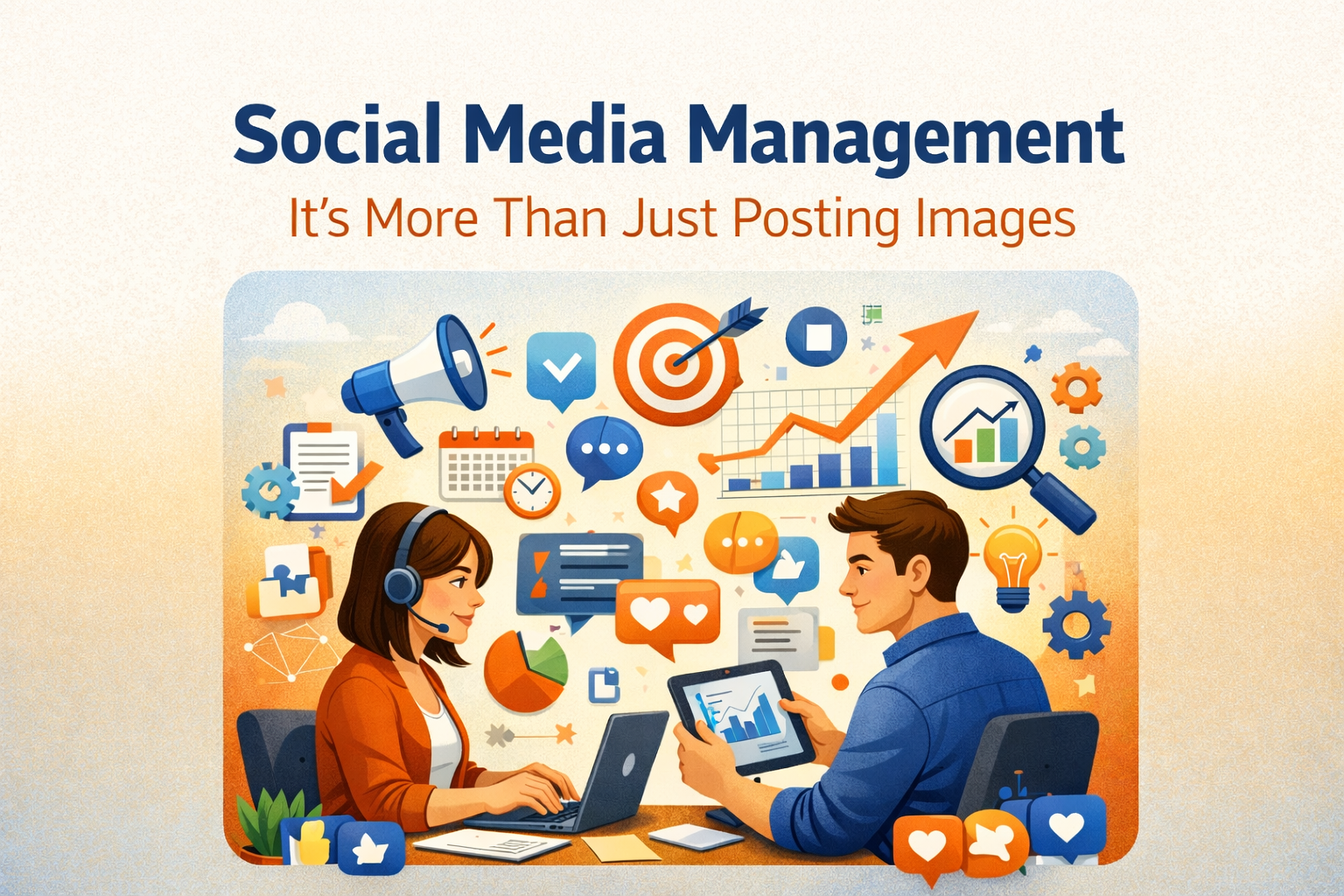
  • Social Media Management: It’s More Than Just Posting Images

    Social Media Management: It’s More Than Just Posting Images

    A business owner once told me, “My intern can handle Instagram. Why pay an agency?”

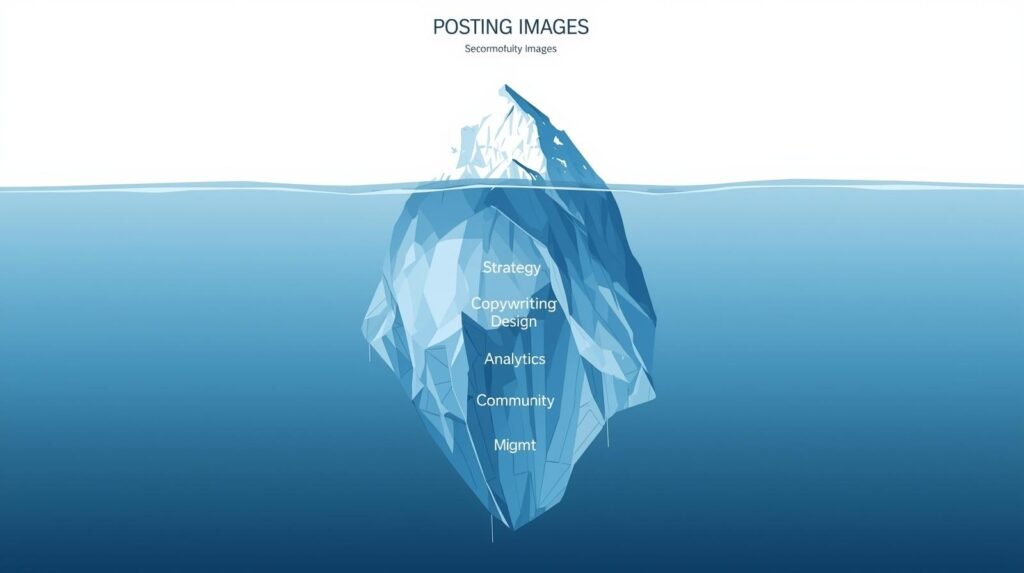
    It sounds logical. Until you realize posting is only 10% of the work.

    The other 90% involves strategy, analytics, community management, brand protection, and content execution.

    Without that, social media becomes noise—random posts that look active but generate nothing.
    No leads.
    No brand trust.
    No measurable ROI.

    The harsh truth:
    If your content doesn’t have strategy behind it, you’re just throwing posts at a wall and hoping something sticks.

    Professional social media management is about business outcomes, not vanity metrics.


    The Difference Between “Activity” and “Strategy”

    Anyone can post a picture.
    Very few know how to turn attention into action.

    Amateur execution:

    • A random motivational quote.
    • A holiday greeting.
    • A “Happy Monday” post.

    Zero intention.
    Zero funnel.
    Zero impact.

    Professional execution:

    • A carousel highlighting a pain point.
    • A reel showcasing a transformation.
    • A CTA guiding users to a landing page.

    There’s a business purpose behind every asset:

    • Education → builds trust
    • Social proof → reduces risk perception
    • Offers → drive conversions
    • Behind‑the‑scenes → humanize the brand

    A professional maps out 30 days of strategic content BEFORE the month begins.

    Not guesswork.
    Not improvisation.
    A content calendar aligned with:

    • buyer personas
    • product launches
    • seasonal demand
    • platform best practices

    This is the foundation of organic social media strategy, not random posting.


    Community Management: The Customer Service Layer

    Social media is not a billboard.
    It’s a conversation.

    A comment is a digital handshake.
    A DM is a potential lead.
    A tagged story is user‑generated validation.

    Ignoring these is the equivalent of a customer walking into your store—and you staring at them in silence.

    A professional manager:

    • replies to comments
    • handles objections
    • redirects inquiries
    • monitors brand mentions
    • manages complaints

    This is community management benefits in action:

    • stronger loyalty
    • higher referrals
    • better retention

    Broadcasting is easy.
    Building relationships is professional work.


    The Visual Standard (Brand Protection)

    Brand trust is visual before it is verbal.

    Blurry images.
    Off‑brand fonts.
    Clashing colors.
    Wrong aspect ratios.

    These mistakes telegraph:
    cheap, amateur, untrustworthy.

    Professional management means:

    • consistent brand guidelines
    • proper typography & spacing
    • platform‑optimized dimensions
    • cohesive aesthetics

    Feed uniformity = perceived authority.

    Netflix looks like Netflix everywhere.
    Coca‑Cola looks like Coca‑Cola everywhere.

    Small businesses often ignore this.
    Professional design safeguards your corporate visual identity.

    That consistency converts.


    Analytics: Doing More of What Works

    Likes are cheap signals.
    You can buy them.

    Business performance metrics matter:

    • Engagement rate
    • Click‑through rate
    • Cost per lead
    • Saves
    • Retention

    At the end of each month:

    • We audit performance.
    • Identify content that drove inquiries.
    • Remove what didn’t.
    • Fine‑tune messaging and creatives.

    This is how you increase social media ROI for business.

    Data replaces guesswork.
    Insights replace assumptions.

    Professionals don’t chase attention.
    They chase outcomes.


    Saving the Business Owner’s Time

    Here’s the reality:

    • Planning content
    • Creating designs
    • Shooting reels
    • Editing
    • Writing captions
    • Hashtag research
    • Posting
    • Community management
    • Reporting

    Takes 15–20 hours per week.

    Ask yourself:

    Is your CEO’s time best spent:

    • picking reel audios?
    • replying to comments?
    • analyzing analytics?

    Or:

    • closing sales
    • building partnerships
    • managing operations

    Outsourcing to a professional agency costs less than the value of a founder’s time.

    And removes guesswork entirely.


    The Counter‑Argument: “But Posting Is Easy.”

    True.
    Anyone can post.

    But:

    • Not everyone knows platform psychology.
    • Not everyone understands content funnels.
    • Not everyone listens to the data.
    • Not everyone protects the brand.
    • Not everyone understands business objectives.

    Social media management is:

    • marketing
    • customer support
    • copywriting
    • analytics
    • branding
    • advertising

    It is an ecosystem.
    Not a task.


    Why Businesses Outsource Instead of DIY

    Because professionals offer:

    • strategy
    • time savings
    • consistency
    • design quality
    • analytical optimization
    • brand protection

    When done in‑house without expertise:

    • campaigns stall
    • engagement drops
    • brand identity fractures
    • ad spend gets wasted
    • customer complaints go unanswered

    Outsourcing vs in‑house becomes a cost‑efficiency decision, not a luxury.


    Your Social Feed Is Your Digital Lobby

    It’s where first impressions form.
    It’s where purchase decisions get validated.
    It’s where credibility is judged.

    A messy feed says:
    “We guess.”

    A strategic feed says:
    “We plan.”

    A professional feed says:
    “We deliver.”

    If you want attention, post content.
    If you want customer trust, manage a brand.
    If you want revenue, drive strategy.

    Social media management is not a task.
    It’s a growth function.


    Call to Action

    Stop guessing.
    Stop posting aimlessly.
    Stop leaving leads on the table.

    Let Code Nest build a social strategy that contributes to revenue—not just noise.

  • Why Graphic Design is the Silent Salesman of Your Brand

    Why Graphic Design is the Silent Salesman of Your Brand

    Introduction

    The biggest branding mistake small businesses make is assuming design is a cosmetic choice.
    They say things like:

    “I’ll make a logo in Canva.”
    “My nephew knows Photoshop.”

    They assume branding is a cheap task instead of a strategic investment.

    Human brains process visuals faster than text—tens of thousands of times faster. Before customers read your copy, before they see your pricing, before they hear your pitch, their minds have already made a judgment.

    Design isn’t art.
    Design is communication.
    Design governs perception.

    Brand visuals act long before your sales team does. Design sets expectations about credibility, quality, price positioning, and risk. Companies don’t lose trust because their logo is bad; they lose trust because their visual identity contradicts the value they claim to sell.


    The Trust Filter (The Bank Analogy)

    Consider a simple analogy:
    Would you deposit your life savings into a bank with a cardboard sign hung by tape and peeling paint?

    No rational person would.
    Because trust isn’t built on statements; it’s built on signals.

    Your website, logo, business card, and social presence form the first trust filter.
    Pixelated icons, mismatched colors, inconsistent typography, and template visuals make your business feel unstable. Customers won’t articulate why—they don’t consciously analyze fonts or kerning—but their subconscious places you in the “risky” category.

    This is the core business graphic design impact:
    Visual authority influences buying decisions even before logic enters the discussion.

    When your design looks amateur, your pricing feels inflated.
    When your design looks refined, your pricing feels justified.
    That’s not opinion. That’s consumer psychology.

    Branding acts as your credit score.
    Poor design = high perceived risk.
    Exceptional design = reduced friction and increased confidence.


    Consistency = Memory = Sales

    Large corporations are obsessive about consistency.
    Not because they’re perfectionists, but because they understand repetition creates recognition. Recognition creates memory. Memory creates trust. Trust drives sales.

    Coca‑Cola doesn’t change colors on a whim.
    Apple doesn’t use five fonts on a product page.

    Small businesses often dilute their identity:
    Blue headings on Instagram.
    Green on the website.
    Orange on business cards.

    This fragmentation confuses the consumer’s memory.
    If your brand feels inconsistent, the brain struggles to categorize you.
    Confusion kills momentum.

    A professional Brand Style Guide solves this problem.
    Color palettes.
    Typography pairings.
    Logo usage.
    White‑space rules.

    Not because design elitists demand it, but because it positions you as larger, more credible, and more cohesive than your competitors.

    Consistency isn’t cute.
    Consistency is profitable.


    UX/UI: Design Directs the Eye

    Graphic design is not decoration.
    It is direction.

    The human eye follows contrast, size, motion, and spacing. When design is intentional, users see the right message at the right moment. When it’s accidental, they drown in information.

    Visual hierarchy determines what gets noticed:

    • Product benefits
    • CTA buttons
    • Testimonials
    • Pricing

    Good design reduces cognitive load.
    Bad design increases it.

    When users feel overwhelmed, they leave.
    When users feel guided, they buy.

    This is why UX designers obsess over spacing.
    This is why UI designers obsess over typography weight.
    This is why product designers obsess over button placement.

    Because every pixel has a job:
    to move the user toward conversion.


    Disruption: Stock Photos vs. Custom Assets

    Let’s address the elephant in the room.
    Most generic business websites look identical.

    The smiling handshake.
    The high‑fiving suits.
    The corporate group pointing at a laptop.

    Stock photos are visual wallpaper. Users scroll past them because they’ve seen them hundreds of times.

    Custom illustrations, infographics, and branded photography disrupt pattern recognition. They force attention. They imply intention.

    Effort signals quality.
    Quality signals value.
    Value supports higher pricing.

    A custom logo communicates ownership.
    A template communicates compromise.

    Cheap design isn’t just forgettable.
    It suggests weak margins, low standards, and low commitment.


    The Psychological Impact: Price Positioning

    Design controls the perceived value of your offering.

    Luxury brands use:

    • minimal layouts
    • muted tones
    • refined typography

    Budget brands use:

    • loud color palettes
    • crowded layouts
    • badge‑style icons

    This is not random.
    This is profit engineering.

    A luxury handbag and a budget handbag might cost similar to produce, yet one demands a 1000% markup.
    Design frames the narrative:

    • premium
    • mid‑market
    • bargain

    Your brand visuals determine where you land.
    Before the price tag is read.


    Design as an Investment, Not an Expense

    Design that elevates positioning is not a cost.
    It is a multiplier.

    Strong branding:

    • increases conversion rates
    • reduces customer acquisition cost
    • improves retention
    • justifies premium pricing
    • boosts perceived authority

    Weak branding drains revenue silently:

    • lower trust
    • more objections
    • higher churn
    • lower referrals

    Every inconsistent banner, every pixelated logo, every mismatched font weakens your brand equity.

    Design is the clothes your business wears to the meeting.

    A sharp suit outsells a wrinkled shirt.
    Every time.


    Why Businesses Resist Professional Design

    Three reasons:

    They misunderstand design’s purpose.
    They think design is artistic expression rather than commercial persuasion.

    They underestimate consumer judgment.
    Customers judge competence visually, not logically.

    They fear cost.
    But ignore that poor design costs more in lost revenue than professional design costs to implement.

    Branding returns value over time.
    Poor design leaks value immediately.


    When Good Design Becomes a Sales Asset

    Design becomes a true salesman when:

    • messaging aligns with visuals
    • visuals align with pricing
    • pricing aligns with positioning

    At that point, branding stops being decoration.
    It becomes conversion.

    It stops being expense.
    It becomes infrastructure.


    Final Word

    Companies that treat design as an afterthought suffer silent losses.
    They lose trust.
    They lose attention.
    They lose authority.
    They lose sales.

    Your visual identity speaks long before you do.

    If it whispers “Amateur,” the conversation ends.
    If it projects “Authority,” you win the sale before you pitch.

    Don’t let the wrong visuals sabotage the right business.

    Contact Code Nest for a branding audit that reinforces trust, signals quality, and supports revenue growth.

  • The SMB Guide to PPC: Stopping Budget Waste on Google Ads

    The SMB Guide to PPC: Stopping Budget Waste on Google Ads

    Introduction

    Small businesses love the idea of Google Ads because it promises visibility. But visibility means nothing if the ad spend doesn’t convert. Clicks are cheap. Sales are what matter.

    The biggest leak in small‑business PPC is not the platform—it’s poor configuration. Broad Match keywords. Weak landing pages. No negative keywords. No tracking. Default settings working against you.

    Google Ads is powerful, but only if you control it like a disciplined investor—not a gambler.


    The First Leak: Broad Match Keywords

    Google pushes Broad Match by default. It looks appealing because it delivers traffic volume fast. But volume is not intent.

    Examples:

    • hiring a “plumber” but matching for “plumber salary”
    • “roof repair” matching to “DIY roof patch”
    • “accounting firm” matching to “accounting degree”

    Broad Match brings irrelevant clicks that drain budget without producing real leads.

    For small businesses, Broad Match is the quickest way to burn cash.

    Practical Fix:

    Use:

    • Phrase Match for control
    • Exact Match for bottom‑funnel queries

    If you insist on Broad Match, only use it with:

    • Smart Bidding
    • strong conversion history
    • tight negative keyword lists

    But truthfully, most SMBs don’t have the budget to “train” Broad Match.


    The Second Leak: Weak or Missing Negative Keywords

    Negative keywords are the brakes on your ad spend. Without them, you’re paying for research queries, job seekers, and DIY searches.

    Examples of universal negative keywords:

    • free
    • salary
    • DIY
    • jobs

    For service businesses:

    • “how to fix”
    • “training”
    • “school”

    For e‑commerce:

    • “used”
    • “cheap”
    • “Amazon”

    A well‑built negative keyword strategy can cut 20‑40% of wasted spend within a week.

    SMBs that ignore negatives are essentially telling Google:

    “Show my ad anywhere. I’ll pay for it.”

    Not acceptable.


    The Third Leak: Sending Traffic to Weak Landing Pages

    Small business owners often send ads to:

    • homepages
    • service overview pages
    • outdated landing pages

    These pages are built for browsing, not converting. PPC landing pages must be built for speed, clarity, and trust.

    Your landing page must include:

    • Clear headline tied to the keyword
    • Outcome‑driven value proposition
    • Trust signals (reviews, certifications, ratings)
    • One primary CTA
    • No navigation links that let users escape
    • Local relevance when applicable

    Sending paid clicks to a homepage means:

    • multiple CTAs
    • distractions
    • low clarity
    • bad load time

    Every second of load time increases CPA. Every confusing headline increases bounce rate.


    The Fourth Leak: No Tracking = No Accountability

    Too many SMBs think:

    “We’re getting clicks. That means it’s working.”

    Clicks are vanity metrics.
    Conversions are truth.

    If you’re not tracking:

    • form submissions
    • calls
    • chats
    • add‑to‑cart
    • purchases
    • quote requests

    …you are blind.

    You cannot improve ROI without understanding:

    • which keywords convert
    • which devices convert
    • which locations convert
    • which times of day convert

    Google Ads is not plug‑and‑play.
    This is an optimization platform.

    If you aren’t tracking conversions, you’re not doing PPC. You’re donating money to Google.


    The Fifth Leak: Ignoring Quality Score

    Quality Score is not just a metric; it’s a discount system.
    A higher Quality Score reduces CPC. A lower score increases it.

    What improves Quality Score?

    • Ad relevance
    • Landing page experience
    • Expected CTR

    What damages Quality Score?

    • irrelevant targeting
    • mismatched copy
    • slow landing pages
    • poor mobile layout

    Small businesses often blame the cost per click without understanding the Quality Score tax they’re paying.

    Cutting CPA by improving Quality Score is cheaper than raising bids.


    Smart Bidding Isn’t Magic

    Small businesses trust Smart Bidding too early.
    Smart Bidding requires data volume.

    Without conversions, Smart Bidding cannot:

    • identify strong queries
    • adjust for device behavior
    • optimize location targeting
    • reduce CPA

    The algorithm guesses—using your money.

    You can’t expect Smart Bidding to save a poorly structured campaign.


    Geographic Waste: Paying For Clicks Outside Your Market

    If you serve:

    • one city
    • one county
    • one state

    You should NEVER target entire countries.

    Examples:

    A plumber in Dallas shouldn’t pay for:

    • Austin clicks
    • Houston clicks
    • California clicks

    Default settings expand your radius.
    Results: burned budget.

    Geo‑tight targeting increases:

    • relevance
    • CTR
    • lead quality

    More importantly—it reduces wasted spend instantly.


    Display and Search Are Not the Same

    We still see SMBs running Display campaigns thinking they are Search campaigns.

    Display = awareness
    Search = intent

    Display clicks are cheap.
    They rarely convert for service‑based SMBs.

    If you see:

    • high impressions
    • low CTR
    • zero conversions

    you might be on Display unintentionally.


    The Smart SMB Playbook (Code Nest Strategy)

    Our PPC philosophy is strict:

    We don’t chase clicks.
    We chase leads.
    We chase revenue.

    A practical PPC structure for SMBs:

    Step 1 — Exact + Phrase campaign

    Target bottom‑funnel keywords.

    Step 2 — Build negative keyword lists

    Weekly refinement, not yearly.

    Step 3 — Dedicated landing pages

    Speed + clarity + proof.

    Step 4 — Conversion tracking

    Call tracking for service businesses is mandatory.

    Step 5 — Geo‑tight targeting

    Spend only where you can serve.

    Step 6 — Manual testing before Smart Bidding

    Control first. Automate later.

    This system prevents burnout—financially and psychologically.


    When Google Ads Is the Wrong Choice

    Not every business should use PPC immediately.

    Skip PPC if:

    • price point is too low to justify CPA
    • margins are thin
    • sales cycle is long
    • there is no operational capacity to handle leads

    Google Ads is an investment. It must have return potential, not hope.


    Final Takeaway

    Google Ads is not expensive.
    Poor Google Ads management is expensive.

    Small businesses do not need big budgets.
    They need disciplined targeting, negative keywords, conversion‑focused pages, and tracking.

    If you want PPC to work, treat it like finance—not marketing.

    Clicks don’t pay bills.
    Sales do.

    Code Nest builds PPC campaigns with one goal:

    Lower CPA. Higher ROI. Zero waste.

    If you want your ads to generate real opportunity—not vanity metrics—we’ll audit your current setup and show exactly where budget is leaking.

  • React vs. Next.js: Which Framework Fits Your Scalable Web App?

    React vs. Next.js: Which Framework Fits Your Scalable Web App?

    Introduction

    Technical leads and founders often reach a point where they must decide how to build their next‑generation platform. The common question is: “Should we use React or Next.js?”

    The confusion exists because React and Next.js are not competitors. React is a UI library. It powers components, hooks, state, and rendering logic. Next.js is the framework built on top of React—adding routing, rendering modes, performance, and SEO capabilities.

    The simplest analogy:

    • React is the engine.
    • Next.js is the car built around it.

    For enterprise‑level scalability, SEO visibility, and optimized rendering, plain React alone usually isn’t enough in 2025—especially when building public‑facing products. Understanding where each fits saves budget, reduces technical debt, and improves long‑term performance.


    The Core Difference: How They “Paint” the Screen

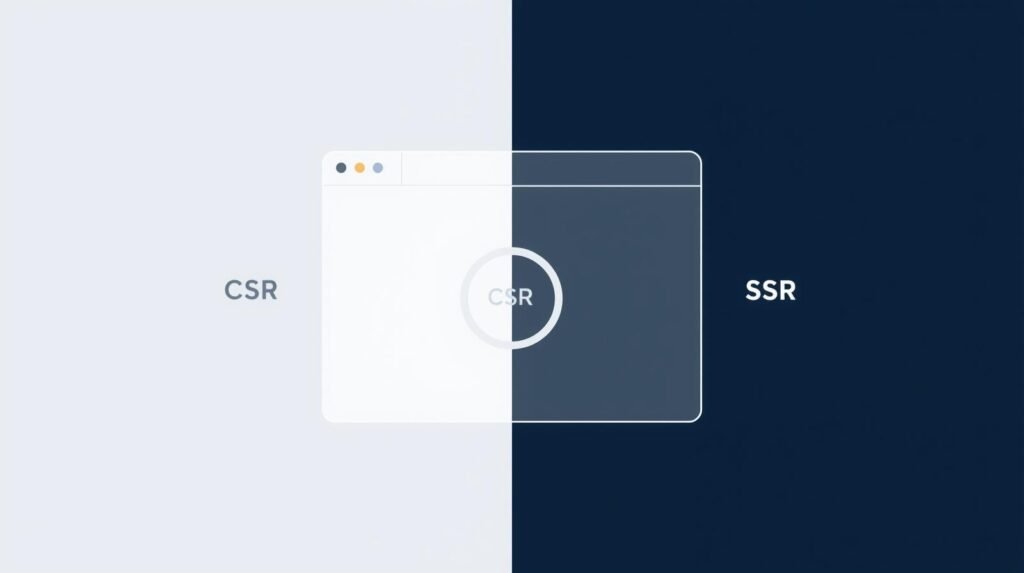
    React → Client‑Side Rendering (CSR)

    With CSR, the browser receives a mostly empty HTML page and a large bundle of JavaScript. The user’s device performs the rendering work. This model is ideal when:

    • The user is authenticated
    • SEO is irrelevant
    • Real‑time state matters more than first paint

    CSR feels responsive when the app is already loaded. But the initial load is slower, and search engines receive JavaScript blobs instead of readable content.

    Where CSR shines:

    • dashboards
    • SaaS internal tools
    • Trello‑style boards
    • admin panels

    These experiences need interactivity more than SEO.

    Next.js → Server‑Side Rendering (SSR)

    Next.js renders the HTML on the server before sending it to the browser. The user immediately sees content without waiting for heavy JavaScript execution.

    Benefits:

    • faster perceived performance
    • readable HTML for Google
    • reduced work on the user’s device
    • improved accessibility scores

    Instead of the browser doing the heavy lifting, the server handles it. For large public platforms, this approach unlocks higher conversions and better ranking potential.

    In short:
    CSR is fast once loaded.
    SSR is fast from the start.


    The SEO Factor (Why Marketing Loves Next.js)

    Search engines parse HTML. A plain React application sends mostly JavaScript, forcing Google to render and interpret content before indexing. That delay creates ranking disadvantages.

    Next.js outputs server‑rendered HTML, which means:

    • page titles
    • metadata
    • headings
    • article content
    • schema

    …are immediately available to crawlers.

    For any business investing in organic visibility—especially:

    • blogs
    • stores
    • landing pages
    • SaaS marketing sites

    Next.js becomes the default recommendation. The SEO advantage is not theoretical. It translates into:

    • more impressions
    • better click‑through rates
    • stronger domain authority

    In competitive sectors, CSR alone limits ranking potential.


    Performance & The Edge

    Scalability isn’t only about code quality. It’s about where and how content is delivered. Next.js integrates:

    • automatic caching
    • Incremental Static Regeneration
    • built‑in Image Optimization
    • Edge deployments on Vercel

    The <Image /> component handles:

    • responsive image sizing
    • WebP conversion
    • lazy loading

    —without manual optimization.

    Edge networks serve content from servers physically close to the visitor, reducing latency. This leads to measurable gains in:

    • Time to First Byte
    • Largest Contentful Paint
    • Core Web Vitals

    These metrics directly impact SEO and user retention. React alone doesn’t offer these optimization primitives without heavy custom work or third‑party services.


    Developer Experience (Routing)

    React routing

    React requires manual setup:

    • React Router
    • history management
    • nested routes
    • dynamic parameters

    It works, but complexity increases as the codebase scales. Large teams eventually face maintainability challenges.

    Next.js routing

    File‑based routing changes the equation:

    • create /blog/page.js → you have a blog page
    • create /dashboard/[id]/page.js → dynamic route

    No external router. No boilerplate.

    This reduces:

    • onboarding time
    • routing bugs
    • architectural inconsistencies

    For agencies and enterprise teams, this translates into lower development cost and faster release cycles.


    When to Use Plain React

    React still has valid use cases. If the application:

    • is authenticated
    • sits behind a login
    • has no SEO requirement
    • relies on constant internal interaction

    Then CSR works perfectly.

    Examples:

    • banking dashboards
    • analytics systems
    • warehouse management tools
    • CRM interfaces

    In those scenarios, SSR adds complexity without real ROI.


    When to Use Next.js (Code Nest Recommendation)

    If the product is:

    • customer‑facing
    • SEO‑dependent
    • monetized publicly
    • scaling beyond MVP

    Next.js becomes the practical choice.

    Ideal projects:

    • e‑commerce stores
    • multi‑tenant SaaS
    • marketplace platforms
    • enterprise landing pages
    • blog‑driven traffic systems

    The difference isn’t trend‑based—it’s architectural.

    Next.js reduces long‑term cost because:

    • SEO is built‑in
    • performance is automatic
    • scaling is smoother
    • routing is simpler

    In 2025, choosing CSR for a public web product is similar to choosing not to rank.


    Final Takeaway

    React builds interfaces.
    Next.js builds scalable platforms.

    The decision isn’t about hype. It’s about aligning rendering strategy with business goals. If the project relies on organic traffic, speed, performance, or global delivery, Next.js provides a measurable return.

    If you’re planning a high‑scale platform and want architecture aligned with growth—not guesswork—Code Nest can help define the right foundation and execution path.

  • How Much Does It Cost to Build a Mobile App for Business?

    How Much Does It Cost to Build a Mobile App for Business?


    asking “How much for an app?” is tricky. We break down the real costs for MVP, Mid-Level, and Enterprise apps, plus hidden maintenance fees.

    Introduction

    Every founder eventually asks the same question: “How much does it cost to build a mobile app?” The short answer is: more than a shed, less than a skyscraper. Like construction, the scale, materials, and engineering determine the final price.

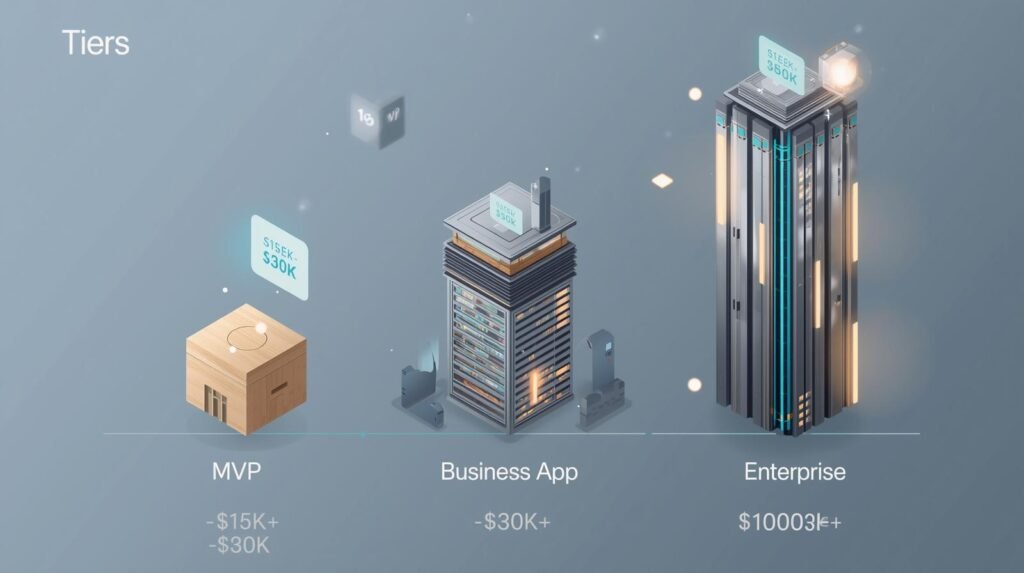
    A simple MVP is a studio apartment. A mid-tier business app is a three-bedroom house. An enterprise-grade platform is a commercial skyscraper with elevators, security, and redundancy. The real goal here is transparency. This blog provides realistic 2025 price tiers instead of vague, evasive estimates.


    The 3 Main Price Tiers (Be Specific)

    App pricing varies by complexity, not ambition. Building “an app like Uber” isn’t cheap—because it’s not just screens and buttons. It’s real-time logistics, mapping, payments, and driver logic. Below are the realistic 2025 ranges.

    The Simple / MVP App — Between $15,000 and $30,000

    This tier exists to validate ideas before executives burn capital. Features are minimal by design:

    • Basic screens
    • Simple account logic
    • Standard UI
    • Limited integrations

    Think restaurant menu display, appointment booking, or internal tool. It won’t win design awards, but it achieves proof-of-concept. Most sensible founders start here to measure demand before scaling.

    The Business Pro App — Between $30,000 and $80,000

    This is the category most commercial projects land in. It adds complexity and polish:

    • Secure logins
    • Payment systems
    • Push notifications
    • Third-party integrations (Maps, Stripe, Social login)

    Expect polished visuals and scalable architecture. For most businesses, this tier delivers competitive parity in crowded markets.

    The Enterprise “Uber-Like” App — $100,000+

    This category isn’t inflated—it reflects the real engineering effort. Features include:

    • Real-time tracking
    • Role-based dashboards
    • Complex backend logic
    • High security
    • Cloud scaling
    • Advanced analytics

    You’re not paying for screens. You’re paying for distributed systems, uptime, and data integrity.

    If someone quotes $20,000 for an Uber-level app, they’re lying, inexperienced, or planning to cut corners that will cost you more later.


    Where Does the Money Actually Go? (Cost Drivers)

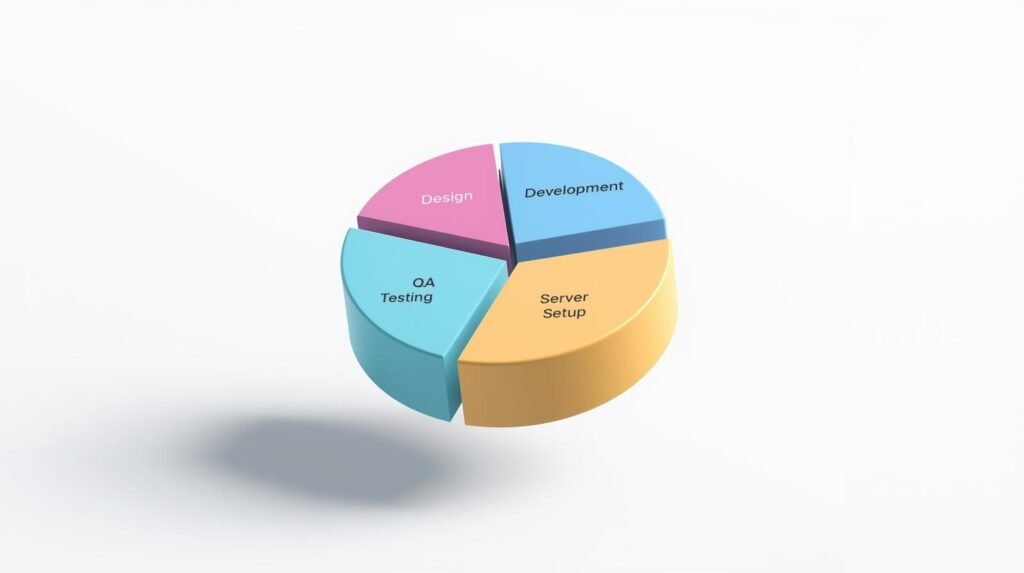
    Most business owners assume app development is 80% typing and 20% design. In reality, coding is only part of the expense.

    UI/UX Design

    Design defines the app’s structure. A solid UX blueprint prevents wasted engineering hours. Fixing a design flaw late in development is exponentially more expensive. Expect $4,000 to $15,000 of your budget here—depending on screen count.

    Backend Engineering

    The backend is the silent powerhouse—authentication, payments, notifications, analytics, and cloud logic. It’s invisible to users, but essential. Expect this to consume 40%+ of total cost.

    Quality Assurance (QA) / Testing

    Testing covers:

    • iOS devices
    • Android devices
    • Screen sizes
    • OS versions

    Skipping QA saves money temporarily but risks 1-star reviews, refunds, and support costs. Testing typically accounts for 15–25% of budget.


    The Money Saver: Native vs. Cross-Platform

    This is where Code Nest optimizes—not inflates—budgets.

    Native (Swift / Kotlin)

    You build two separate apps.

    • One for iOS
    • One for Android

    That means two codebases, two teams, and double maintenance. If the iOS version costs $70,000, expect another $70,000 for Android.

    Cross-Platform (React Native / Flutter)

    You build once. It runs everywhere.

    Typical savings: 30–40% of total cost.

    For example:

    • Native build: $100,000+
    • Cross-platform build: $60,000–$70,000

    This is why most businesses should start cross-platform unless they require advanced native-only capabilities.

    Code Nest prioritizes these stacks because they reduce cost without sacrificing performance.


    The Hidden Costs (Post-Launch)

    App development isn’t finished at launch. Stores, servers, and users demand updates.

    Server & Hosting Costs

    Cloud hosting varies:

    • Small MVP: $50/mo
    • Mid-tier: $200–$500/mo
    • High scale: $1,000+/mo

    If your app handles images, GPS, or real-time data, expect higher costs.

    Maintenance & Updates

    Apple and Google constantly revise OS releases and app store policies. Without maintenance, apps break or get delisted.

    Realistic annual maintenance budget:
    20–25% of initial build cost.

    A $60,000 app = $12,000–$15,000/year in upkeep.

    Support requests, bug patches, server monitoring, API updates—all must be maintained to avoid downtime.

    Skipping this budget is a common founder mistake.


    What About Offshore Teams vs. Local Agencies?

    Offshore teams promise low estimates. But cost savings can be erased by:

    • miscommunication
    • timezone lag
    • weak documentation
    • unstable code
    • lack of support

    You save upfront, but pay later.

    Local agencies often deliver lower lifecycle TCO because:

    • Code is maintainable
    • Architecture scales
    • Support is reliable
    • Compliance and security are respected

    The measure is not initial cost—it’s failure cost.


    The Smart Path: Start with MVP

    Don’t drop $100,000 on day one. That’s reckless. The financially responsible path is:

    1. Build an MVP ($15,000–$30,000)
    2. Validate traction
    3. Iterate
    4. Scale

    This approach protects capital and ensures you don’t fund features users never asked for.


    Example Cost Scenarios

    Scenario A — Retail Store Loyalty App

    • MVP Loyalty System
    • Cross-platform
    • Basic backend

    $25,000–$40,000

    Scenario B — Delivery Tracking App

    • Real-time GPS
    • Payment
    • Messaging

    $60,000–$120,000

    Scenario C — SaaS Mobile Platform

    • Multi-role dashboards
    • Cloud analytics
    • Security audits

    $150,000+


    Practical Advice (From a Product Manager)

    • Avoid feature creep
    • Choose cross-platform for phase one
    • Treat backend as the priority
    • Budget maintenance upfront
    • Invest in UX early
    • Get a line-item quote, not a lump sum

    These reduce cost without compromising output.


    Call to Action

    Got an idea? Let Code Nest produce a transparent budget with line-item clarity. We don’t oversell tech stacks—we recommend solutions that protect your capital and reduce long-term burn.

    Request a quote that tells you exactly where every dollar goes.

  • The MVP Approach: Launching Your Startup App Faster

    The MVP Approach: Launching Your Startup App Faster

    The MVP Approach: Launching Your Startup App Faster

    The startup ecosystem is littered with great-looking products that never reached real users. The reason is simple: founders chase perfection instead of validation. They obsess over polishing screens, adding “nice‑to‑have” features, and building a version 10.0 of a product that hasn’t survived version 0.1.

    That mindset burns time and capital.

    An MVP is not about cutting corners. It is about prioritizing survival. You solve the core problem, you test real demand, and you secure paying customers before scaling.

    Perfection is the enemy of profit.
    Speed is a competitive advantage.

    If you want a business, not a hobby, the Minimum Viable Product model is the safest path to launch fast and learn early.


    What Is an MVP (And What It Isn’t)?

    Founders often misunderstand the MVP. They think it means:

    • buggy code
    • missing pages
    • sloppy design

    That’s wrong.

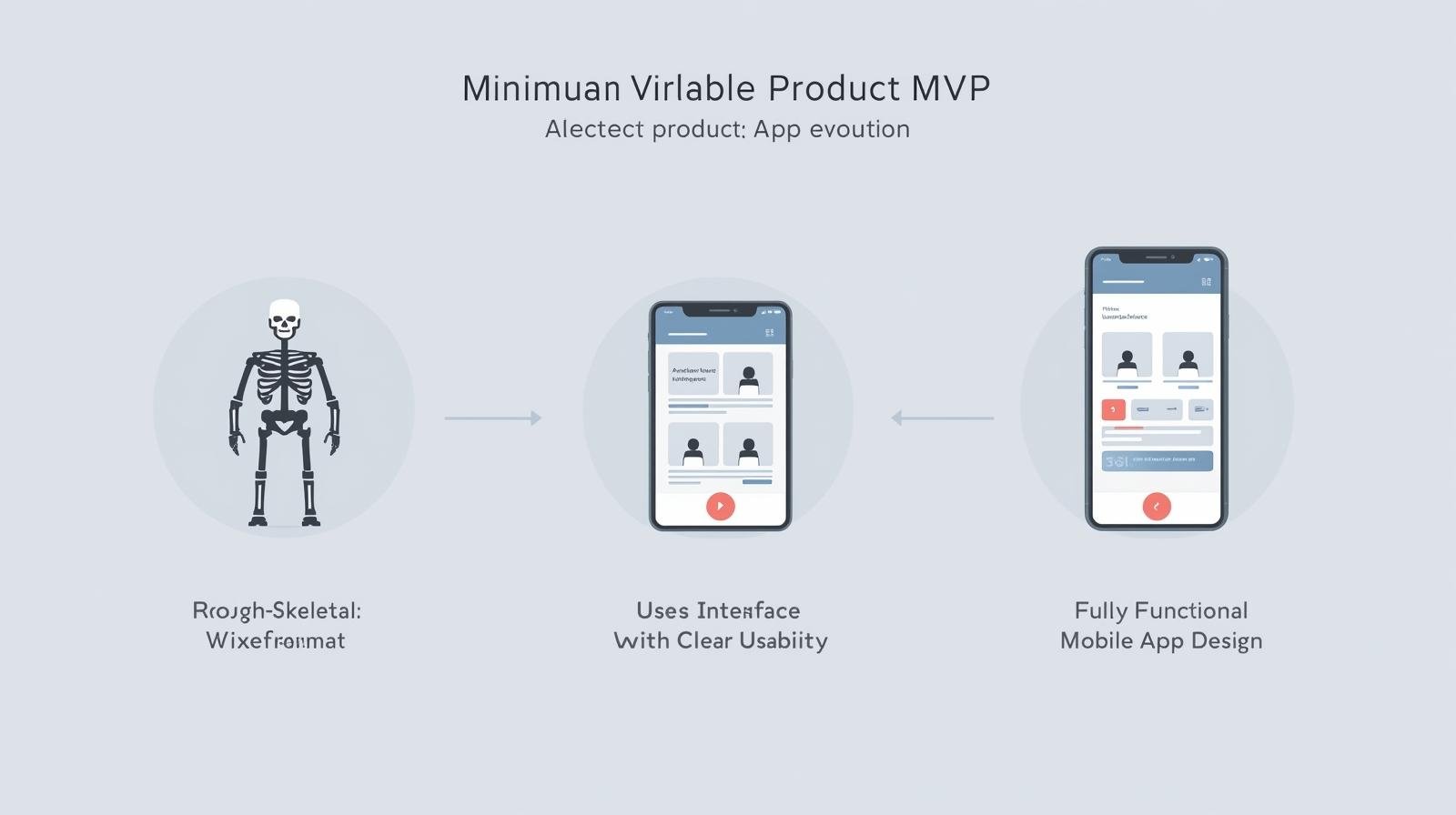
    An MVP is a complete product with minimal features — lean but functional. Think utility, not bells and whistles.

    If your users simply need to travel from point A to point B, your MVP is not a half-built car. It’s a skateboard. Then you turn it into a scooter. Then a bike. Then a car.

    The goal is market validation, not feature completeness.

    A polished product that nobody wants is still a failure.


    The Financial Case for MVP

    Cash is oxygen for startups.

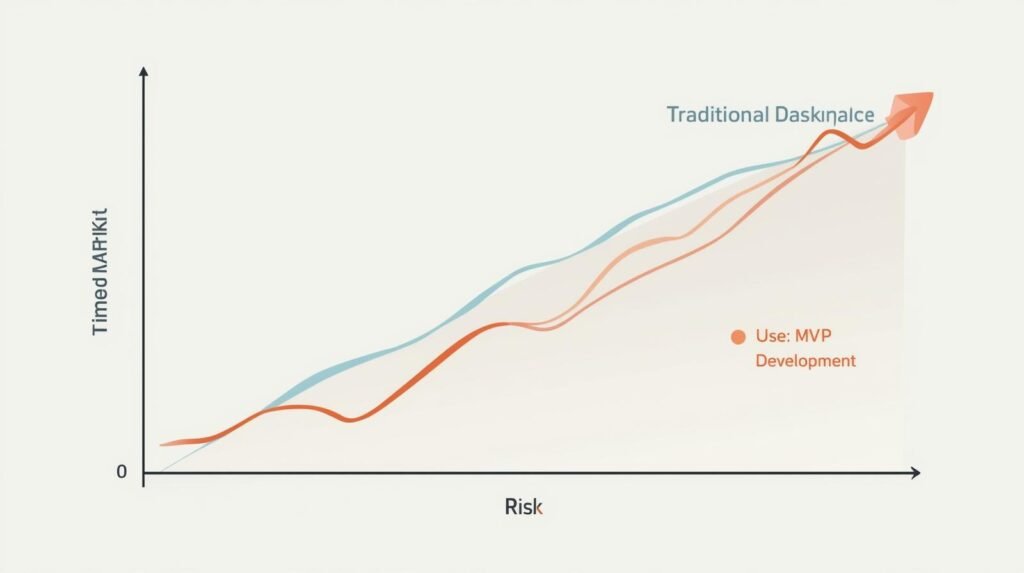
    minimum viable product development reduces risk and protects runway because:

    • You spend $20k instead of $100k.
    • You validate the idea with real behavior, not assumptions.
    • You pivot without burning your entire budget.
    • You attract investors with usage metrics, not PowerPoint slides.

    If you launch early and fail, you can recover.

    If you launch late and fail, you’re done.

    That is the harsh reality.


    Identifying the Enemy: Feature Creep

    Feature creep is the silent killer of timelines and budgets.

    It sounds like this:

    • “We need chat.”
    • “We need dark mode.”
    • “We need AI integration.”
    • “We need live support.”

    None of those matter if you don’t have users.

    A founder’s ego often pushes complexity. A strategist pushes discipline.

    At Code Nest, we enforce a ruthless prioritization filter:

    If the feature doesn’t directly validate the core hypothesis, it waits.

    This discipline is why MVPs launch in 90 days instead of 12 months.


    The Feedback Loop: Data Beats Assumptions

    Every founder believes they understand their users. Most are wrong.

    Real users behave differently than theoretical ones.

    You think they need:

    • advanced filters
    • custom dashboards
    • integrations

    But maybe they simply wanted:

    • fast onboarding
    • one core feature
    • clear pricing

    The MVP gives you behavioral data instead of imaginary insights.

    Launch → Measure → Iterate.
    Not Design → Overbuild → Pray.

    Feedback reduces uncertainty.
    Metrics guide development.
    Revenue validates demand.


    MVP vs Full Build (A Reality Check)

    Here’s what usually happens:

    Full Build Approach

    • 12 months
    • $100k–$250k
    • Feature‑heavy
    • No users until launch
    • Huge risk

    MVP Approach

    • 60–90 days
    • $15k–$40k
    • Feature‑focused
    • Users early
    • Controlled risk

    Reality: users don’t reward you for complexity. They reward you for solving a problem.


    When You Should Build an MVP

    If any of these apply, you need an MVP:

    • It’s a new product category
    • You are pre‑revenue
    • You do not have guaranteed demand
    • You don’t have unlimited capital
    • You want to pitch investors

    If you already have:

    • paying customers
    • proven metrics
    • product‑market fit

    You can scale.

    If not, you test.


    How Code Nest Builds MVPs

    Our goal: launch fast without sacrificing scalability.

    We design MVPs using:

    • Next.js & React Native for cross‑platform reach
    • modular architecture for future growth
    • MySQL or Firebase for lean data structures

    We focus on the core utility first:

    • signup + login
    • payment integration
    • primary feature
    • analytics tracking

    We target a 90‑day maximum timeline because startups need momentum.

    The objective is not to impress developers.
    The objective is to collect revenue.


    The Hidden Value: Investor Confidence

    Investors don’t want ideas.
    They want traction.

    When you have:

    • user signups
    • early revenue
    • usage analytics
    • retention proof

    You gain leverage.

    A strong MVP often raises more funding than a polished product with no market validation.

    Data beats design.
    Always.


    The Real Reason Founders Resist MVPs

    Ego.

    A founder wants their dream app. They want the feature set in their head, not the version the market needs.

    But markets don’t care about dreams.
    They care about utility.

    Launching late is not strategic.
    It is denial disguised as ambition.


    Scaling After MVP

    The MVP is step one, not the finish line. After validation, you scale:

    • improved UX
    • automation
    • new features
    • integrations
    • marketing funnels

    But only after demand is proven.

    You earn the right to grow.


    Final Thoughts

    Speed > Complexity.
    Revenue > Features.
    Validation > Assumptions.

    If your goal is to build a business — not just an app — the MVP approach is the smartest, fastest, lowest‑risk path.

    Stop polishing. Start launching.
    Stop dreaming. Start validating.

    Code Nest builds MVPs designed to hit the market in 90 days and earn real traction.

  • Shopify Plus vs. Standard: When Should Your Store Upgrade?

    Shopify Plus vs. Standard: When Should Your Store Upgrade?

    Introduction

    The most common emotional reaction when a merchant first evaluates Shopify Plus is the price jump. You move from roughly $299/month on Advanced to $2,300+/month on Plus. That sparks the predictable question:
    “Why would I pay over ten times more for the same platform?”

    You’re not paying for a subscription. You’re buying cost savings, checkout control, and operational efficiency at scale. For brands doing seven‑figure revenue, the question is not “Is Plus expensive?” The correct framing is:
    “Does Plus save more than it costs?”

    For some stores, the math works instantly. For others, the move is premature. The dividing line is not ambition. It’s volume.


    Shopify Plus vs Standard: The Transaction Fee Math

    This discussion must start with transaction fees because that’s where merchants either justify or kill the upgrade.

    On Standard/Advanced, you pay higher payment processing rates and extra fees on external gateways. Plus lowers these rates significantly.

    Assume:

    • $150,000/month in revenue
    • 60% via Shop Pay / credit cards
    • 40% via external gateways

    0.3% – 0.4% difference in fees alone can mean:

    • $450 – $600/month savings at $150k revenue
    • $900 – $1,200/month savings at $300k revenue
    • $1,800 – $2,400/month savings at $500k revenue

    At roughly $500k/month, the fee savings can exceed the entire Plus subscription cost.

    This is the pivot most merchants overlook.
    Plus can feel expensive at $50k/month revenue.
    It becomes functionally free when you cross higher thresholds.

    If you rely heavily on external gateways, the breakeven point arrives even faster. Stripe, PayPal, and international payment rails widen the fee gap.

    The takeaway is straightforward:

    • Sub‑$1M merchants struggle to justify the upgrade.
    • $1.5M+ merchants often cover most of the subscription cost through fee reduction alone.

    Plus stops being a luxury and becomes a financial hedge against scale.


    Checkout Extensibility: The Real Leverage Point

    The next question is control. On Standard Shopify, the checkout is locked. You cannot add functionality beyond superficial branding. That limitation forces you to leave revenue on the table.

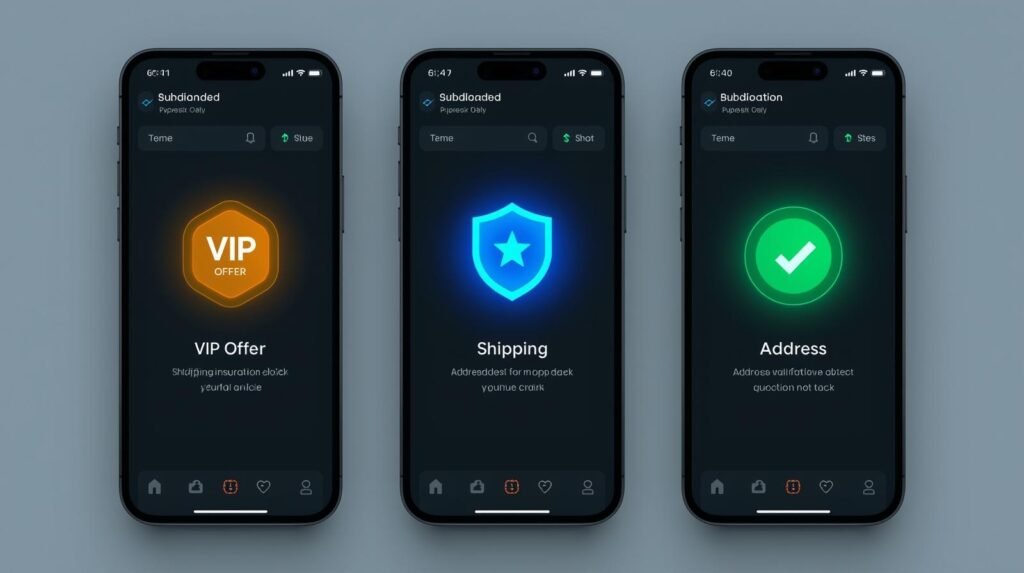
    Plus unlocks Checkout Extensibility—Shopify’s 2025 replacement for the legacy checkout.liquid approach. This upgrade allows:

    • one‑click upsells
    • address validation
    • custom fields
    • loyalty modules
    • fraud checks
    • post‑purchase offers

    If your checkout improves conversion from 1.9% to 2.1%, the financial outcome looks like:

    • $100k/month → +$2,000/month
    • $500k/month → +$10,000/month
    • $1.5M/month → +$30,000/month

    A fraction of a percentage converts into significant annual impact.

    Small brands underestimate micro‑conversion lifts.
    Large brands rely on them.

    Checkout control isn’t an aesthetic upgrade. It’s a profit function.


    B2B and Wholesale: Native vs. Patchwork

    Wholesale on Standard Shopify is an exercise in app stacking:

    • price lists
    • account gating
    • tax exemption
    • minimum order rules
    • net terms

    Each component is duct‑taped through third‑party tools. That creates:

    • support overhead
    • duplicated data
    • order syncing problems
    • permission conflicts

    Plus consolidates wholesale operations:

    • dedicated B2B portals
    • custom price lists per customer
    • volume‑based pricing
    • Net 30 payment terms
    • restricted product visibility

    For merchants with:

    • storefront B2C
    • wholesale B2B
    • international expansion

    …the operational savings compound.
    Wholesale apps costing $300 – $1,200/month can be retired.

    Plus eliminates complexity and reduces errors—something CFOs notice long before CMOs.


    Automation and Flash Sales: Where Plus Protects Revenue

    Mid‑market brands underestimate the operational cost of manual labor.

    Plus includes:

    • Shopify Flow (automation)
    • Unlimited API calls
    • Launchpad for scheduled sales

    Examples of automation ROI:

    • “Tag VIP customers on orders over $500”
    • “Alert fulfillment when stock < 25”
    • “Auto‑cancel fraud‑risk orders”
    • “Sync ERP inventory without hitting rate limits”

    During high‑traffic events like Black Friday:

    Standard Shopify stores can throttle.
    Plus stores benefit from elevated API limits.

    The financial difference is not theoretical. A site crash at $50k/hour throughput is a crisis. Plus safeguards against that risk.

    For merchants with ERPs like NetSuite or custom OMS, the unlimited API capacity alone justifies the upgrade.


    Multi‑Store and International Operations

    Plus allows:

    • cloned storefronts
    • region‑specific pricing
    • local currencies
    • language segmentation
    • tax overrides

    For brands in the US expanding to UK + CA + EU:

    Standard Shopify = fragmented tech stack
    Plus = centralized control

    International commerce is not just checkout. It’s:

    • returns
    • duties
    • VAT
    • shipping rules

    At scale, these operational layers require more than plugins. They require native control.


    The ROI Formula: When the Upgrade Makes Sense

    You should not upgrade solely because:

    • “Plus is for big brands”
    • “Competitors use it”
    • “We want a premium platform”

    That logic burns cash.

    Upgrade when the math aligns:

    Do not upgrade if:

    • Revenue < $800k/year
    • 1 storefront
    • No wholesale
    • Low external gateway usage
    • No custom checkout needs

    Upgrade becomes logical when:

    • Revenue > $1.5M/year
    • Multiple regions
    • Wholesale operations
    • Subscription products
    • High transaction volume
    • Conversion‑sensitive funnels

    Upgrade immediately if:

    • Checkout customization equals measurable ROI
    • App costs exceed $1–2k monthly
    • Operations require automation
    • Manual fulfillment tasks are scaling with headcount

    The decision is not emotional.
    It is calculable.


    Comparing Shopify Plus Features vs Standard (2025 Snapshot)

    FeatureStandardPlus
    Subscription Cost~$299$2,300+
    Checkout ControlRestrictedCheckout Extensibility
    Transaction FeesHigherLower
    WholesaleApps requiredNative B2B
    Multi‑StoreLimitedGlobal storefronts
    API LimitsStandardExpanded
    AutomationPartialFull Flow + Launchpad
    Multi‑CurrencyAppsNative

    This is not a feature list—it’s a cost‑reduction list.

    Plus trims:

    • payment fees
    • app fees
    • operational labor
    • downtime risk

    For enterprise e‑commerce, this is infrastructure.


    Code Nest Verdict: When Should You Call Us?

    For brands at $500k/year, Plus is expensive.
    For brands at $1M – $5M/year, Plus is leverage.

    If:

    • you need checkout customization
    • you want to consolidate B2B
    • you plan international storefronts
    • you rely on automation
    • you want to reduce app dependency

    …Plus is more cost‑efficient than Standard.

    If you’re still below $800k/year, keep operations lean.
    Invest in CRO and paid acquisition first.
    Upgrade only when it reduces, not increases, cost.


    Final Takeaway

    Shopify Plus isn’t an aspirational badge. It’s a financial tool.

    When the math works, the subscription fee is insignificant compared to savings generated from:

    • reduced transaction fees
    • checkout conversion gains
    • wholesale automation
    • app consolidation
    • international scaling

    If you want to know whether your store is at the breakeven point, Code Nest can run a free ROI calculator using your actual revenue, fee structure, and operational costs.

  • The “Feature Bloat” Problem (Site Speed)

    The “Feature Bloat” Problem (Site Speed)

    Most commercial templates are built to please everyone. To achieve this, their codebases ship with sliders, drag-and-drop builders, WooCommerce styling, portfolio layouts, icon packs, animation libraries, and dozens of scripts—whether you need them or not. The result is code bloat.

    Bloated code slows down Web Vitals. This is where site speed importance becomes an operational concern, not a cosmetic one. Slow sites lose conversions, decrease SEO ranking, and increase hosting costs because they require more server resources.

    A custom build includes only the necessary components—no dead weight, no unused scripts, no overlapping styles—resulting in faster loading and lower TCO.

    Security: Hiding in Plain Sight

    Themes are mass-produced products used by thousands. Hackers know this. When they discover a vulnerability in a popular theme or plugin, they instantly gain access to a broad attack surface.

    This creates ongoing expenses: security patches, theme renewals, malware cleanup, and downtime. Cheap hosting with insecure WordPress configurations multiplies risk.

    Custom code is not automatically invincible, but it offers “security through obscurity.” The codebase is unique, meaning attackers cannot rely on generic exploits or known weaknesses. With secure WordPress hosting or custom frameworks like Laravel or Next.js, threat exposure drops dramatically.

    Security is less about fear and more about financial impact—from lost sales to damaged reputation.

    Scalability: Hitting the Wall

    The plug-in trap is real. Add a booking system. Add custom filters. Add multilingual translation. Soon, your template runs 20+ plugins, each competing for resources and introducing conflicts.

    Suddenly, a fast $59 theme becomes a fragile, slow, buggy platform—expensive to maintain and risky to modify. Agencies spend more time fixing than building.

    Custom development avoids this path. The code is built intentionally. Logic can be extended without breaking the system. Frameworks like React, Next.js, or Custom WordPress themes allow scaling: new modules, automation, APIs, dashboards, and integrations.

    Templates hit ceilings. Custom builds remove them.

    Brand Identity: The “Same-Face” Syndrome

    Templates create visual sameness. They rely on predefined grids and reusable layouts. Swap the logo and colors, and the site still resembles every other template-based project in the same niche.

    This affects perception. If your site looks generic, pricing power decreases. Conversion rates drop because users question credibility.

    Custom design begins with business identity, not theme constraints. It aligns structure, UI patterns, and conversion paths with the psychology of your audience. The result is a website that communicates differentiation, not imitation.

    Brand identity is a financial driver, not just an aesthetic choice.


    Comparison Table

    FactorWordPress TemplateCustom Development
    Upfront CostLowHigher
    SpeedSlower due to bloatFast, optimized
    SecurityHigher risk due to popularityLower risk, unique code
    ScalabilityLimitedFlexible & future-proof
    Brand IdentityGenericUnique

    Who Needs Which? (The Verdict)

    Go Template if:

    • Budget < $1,000
    • You operate a personal blog or hobby site
    • Deadlines require a 48-hour launch
    • Design uniqueness is not critical
    • You accept limited scalability

    Go Custom (Code Nest) if:

    • You expect business growth
    • Traffic volume is significant
    • Custom functionality is required
    • You want long-term cost savings, not band-aids
    • Brand perception influences revenue

    A template is a one-size-fits-all suit. It fits, but never perfectly. A custom site is tailored—measured, cut, and stitched to your business model.

    Conclusion

    Cheap becomes expensive. Template savings often vanish through hidden costs of wordpress themes—performance tuning, security fixes, plugin maintenance, redesigns, and lost conversions. Custom development produces assets, not expenses. Performance improves. Security strengthens. Scalability becomes predictable. Brand identity becomes a differentiator, not a compromise.

    If long-term ROI matters, custom web development benefits outweigh the initial cost.

    Contact Code Nest for a consultation and build a website designed to last—not just launch.