Category: Blog

Your blog category

  • Google Ads vs. Facebook Ads: Where to Spend Your Budget?

    Google Ads vs. Facebook Ads: Where to Spend Your Budget?

    When you have a set marketing budget, the pressure to “get it right” is immense. For most business owners, the dilemma boils down to a fight between two tech giants: Google and Meta (Facebook). Both platforms reach billions of people, both have sophisticated tracking, and both claim to be the best tool for lead generation.

    However, choosing between them isn’t about which platform is “better” in a vacuum. It is about understanding the psychological state of your customer when they encounter your ad. One platform finds people who are actively looking for a solution; the other finds people based on who they are and what they like.

    At Code Nest, we manage complex PPC and SMM campaigns across both networks. The businesses that see the highest ROI are those that understand the fundamental divide between Intent and Interest.

    Google Ads: The Power of Intent (The “Pull” Method)
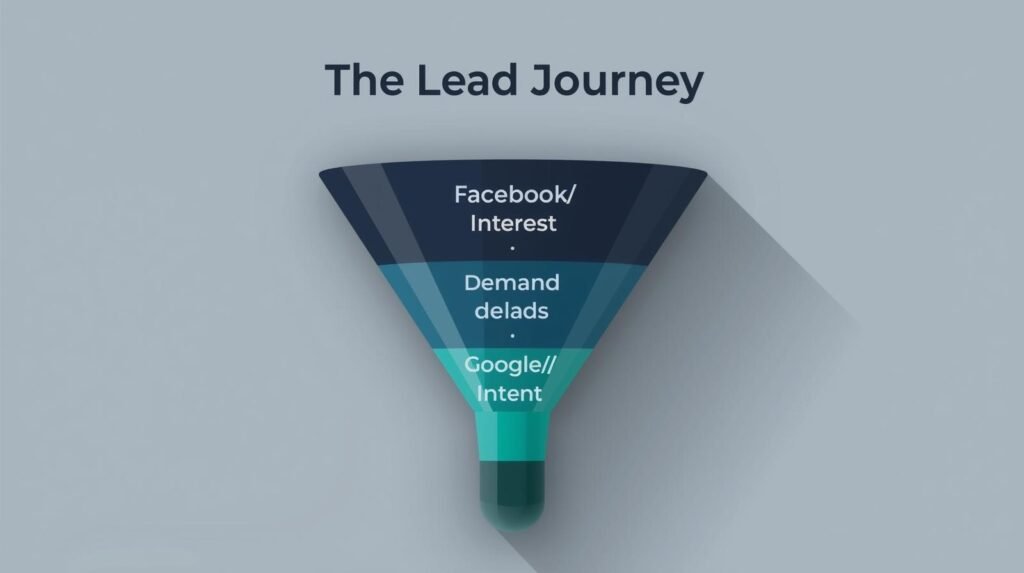
    Google Ads is fundamentally a “pull” platform. It relies on the search terms people type into the bar. When someone searches for “emergency plumber NYC” or “best b2b lead generation agency,” they have what marketers call high Commercial Intent. They have a problem, and they are actively hunting for a solution.

    Why Google Wins for Quality Leads

    Because you are bidding on specific keywords, the leads you generate through Google are typically further down the sales funnel. These people don’t need to be convinced that they need a service; they only need to be convinced that your company is the right one to provide it.

    The Downside of Intent

    Intent comes at a price. In competitive industries—like legal services, insurance, or enterprise software—the Cost Per Click (CPC) can be staggering. Because everyone wants the customer who is ready to buy right now, the bidding wars are intense. If you have a low budget and high competition, Google Ads can feel like a bottomless pit if not managed by a professional who knows how to optimize for Quality Score.

    Facebook Ads: The Power of Interest (The “Push” Method)

    Facebook (now Meta) is a “push” platform. Users don’t go to Facebook or Instagram to find a product; they go there to be entertained or to connect with friends. Your ad “pushes” its way into their feed based on the data Meta has collected about them.

    Why Facebook Wins for Brand Growth

    Meta’s targeting capabilities are unrivaled. You can target someone based on their job title, the fact that they recently moved, their interest in specific hobbyist brands, or their likelihood to engage with a “Lookalike Audience” that mirrors your current customer base.

    The Lead Generation Reality

    When discussing google ads vs facebook ads for leads, Facebook leads often cost significantly less than Google leads. However, these leads are typically “top of the funnel.” These are people who saw an ad and thought, “That looks interesting,” but they aren’t necessarily ready to sign a contract today. Facebook requires a more robust email nurture sequence and a dedicated sales team to convert the volume of leads into actual revenue.

    Comparing ROI: Quality vs. Quantity

    The debate over where to spend your budget often comes down to the math of your sales cycle.

    • Google Ads: Generally offers a lower volume of leads at a higher cost, but those leads convert into sales faster. The path from “Click” to “Customer” is short.
    • Facebook Ads: Offers a higher volume of leads at a lower cost, but the conversion rate from “Lead” to “Customer” is usually lower. The path is longer and requires more touchpoints.

    If you are a service-based business (like an HVAC company or a law firm) where people search for you only when they have an immediate need, Google Ads should be your primary spend.

    If you have a product that solves a problem people don’t realize they have yet—or if your brand is highly visual (like fashion, home decor, or lifestyle apps)—Facebook Ads will likely deliver a better return on your spend.

    The Strategy of Synergy: Why “Both” is the Real Answer

    At Code Nest, we rarely recommend an “all or nothing” approach. The most sophisticated marketing budgets utilize a split strategy that plays to the strengths of both platforms.

    1. The Facebook Retargeting Loop

    You pay for a high-intent visitor through a Google Search ad. They visit your site but aren’t quite ready to buy. Instead of losing them forever, you “retarget” them on Facebook and Instagram. Now, as they browse their social feed, they see your brand again. This reinforces trust and keeps your company top-of-mind.

    2. Market Research via Google, Scaling via Facebook

    Use Google Ads to identify which specific pain points and keywords drive the most profitable conversions. Once you know exactly what message resonates with buyers, you can take that “winning hook” and build a massive Facebook campaign around it to reach millions of similar people who aren’t searching for those keywords yet.

    Lead Magnetism: Landing Pages Matter

    Whether you choose Google or Facebook, the ad is only 50% of the equation. We see businesses waste thousands of dollars by sending high-quality traffic to a generic, slow-loading homepage.

    If you are running google ads vs facebook ads for leads, you need dedicated landing pages designed for conversion. These pages should be lightning-fast (which is why we build many of ours in Next.js for our clients) and should have one clear, undeniable call to action. Without a conversion-optimized destination, you are just donating money to Google and Meta.

    Conclusion: Data-Driven Allocation

    The “right” place to spend your budget depends on your industry, your margins, and the maturity of your sales process.

    • Choose Google if you have a high-value offer and want customers who are ready to buy today.
    • Choose Facebook if you want to build a brand, generate a high volume of potential interest, and have a system in place to nurture those relationships over time.

    Don’t guess where your money is going. Digital advertising provides the most granular data in the history of marketing—if you know how to read it.

    Struggling to find the balance in your ad spend? Contact Code Nest today. Our paid media specialists will analyze your business goals and build a multi-channel strategy that focuses on ROI, not just clicks.

  • Next.js for SEO: Why Modern Developers Prefer It

    Next.js for SEO: Why Modern Developers Prefer It

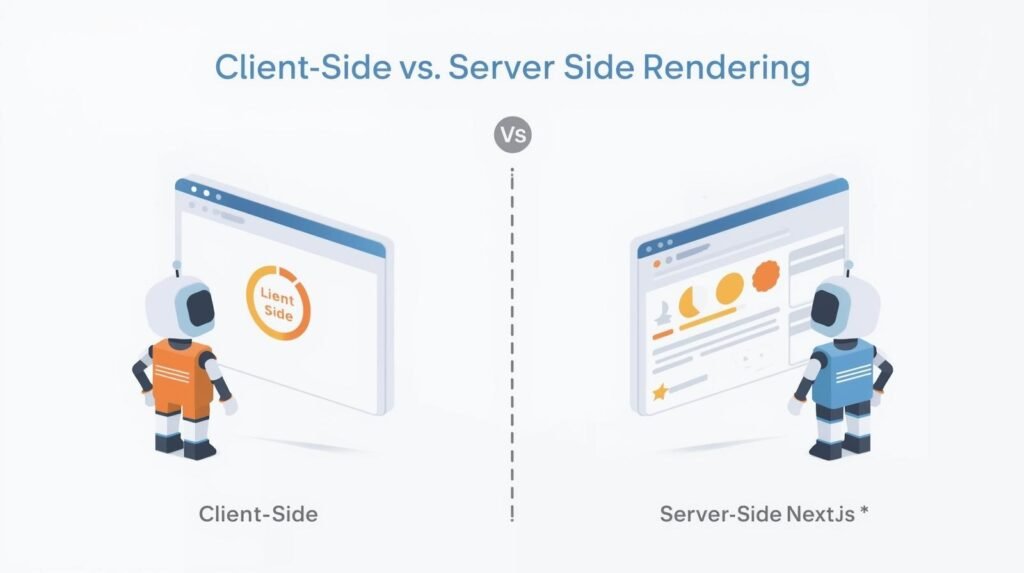
    For years, the development community faced a frustrating trade-off. You could build a highly interactive, lightning-fast web application using React, but you would often struggle with Search Engine Optimization (SEO). Because standard React applications rely on Client-Side Rendering (CSR), search engine crawlers often saw a “blank page” before the JavaScript finished loading. In the eyes of Google, if the content isn’t there immediately, it doesn’t exist.

    Next.js changed that narrative. By providing a framework that allows for Server-Side Rendering (SSR) and Static Site Generation (SSG), Next.js gives businesses the best of both worlds: the interactive power of React and the searchability of a traditional HTML website.

    At Code Nest, we’ve transitioned many of our enterprise and startup clients to Next.js specifically to solve visibility issues. Here is why the nextjs seo benefits make it the gold standard for modern, growth-oriented websites.

    The Problem: The “Empty Box” of Standard React

    To understand the value of Next.js, you must first understand the flaw in standard React for SEO.

    In a traditional React app (Client-Side Rendering), when Google’s bot visits your site, the server sends a nearly empty HTML file and a large bundle of JavaScript. The browser then has to execute that JavaScript to “paint” the content on the screen.

    While Google has become better at crawling JavaScript, it isn’t perfect. It often performs a “two-pass” index. The first pass looks at the empty HTML. The second pass (which can happen days or weeks later) looks at the rendered content. For a business that relies on timely content or high-volume organic traffic, this delay is unacceptable.

    Next.js solves this by “pre-rendering” the page. When the crawler arrives, the content is already there in the HTML.

    1. Server-Side Rendering (SSR) and Static Site Generation (SSG)

    Next.js offers two primary ways to deliver content that search engines love:

    Static Site Generation (SSG)

    With SSG, your website is built into HTML files at “build time.” Think of this as pre-cooking a meal. When a user (or a crawler) requests the page, the server simply hands them a finished file. It is incredibly fast and highly indexable. This is perfect for blogs, documentation, and marketing pages where content doesn’t change every minute.

    Server-Side Rendering (SSR)

    For pages that need real-time data—like a personalized dashboard or a dynamic price feed—SSR generates the HTML on the server for every request. Unlike standard React, the “work” is done on the server before the data reaches the browser. Google sees a fully formed page every time, ensuring that dynamic content is indexed just as easily as static text.

    2. Unmatched Performance and Core Web Vitals

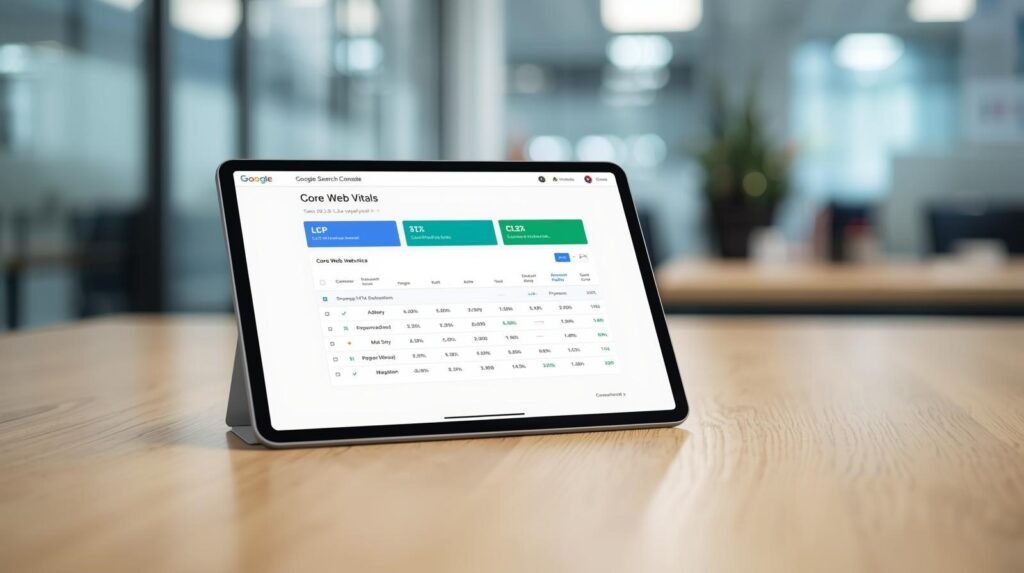
    In 2021, Google introduced Core Web Vitals as a major ranking factor. They no longer just care what is on your page; they care how fast it loads and how stable it feels. Next.js is engineered specifically to excel in these metrics.

    Automatic Image Optimization

    Large, unoptimized images are the #1 reason for slow websites. Next.js includes a built-in Image component that automatically resizes images, converts them to modern formats like WebP, and implements “lazy loading.” This ensures your site doesn’t load a 5MB hero image on a small smartphone screen, keeping your Largest Contentful Paint (LCP) score in the green.

    Code Splitting

    In a massive website, you don’t want a user to download the code for the “Contact” page when they are only looking at the “Home” page. Next.js automatically splits your code into small chunks. The browser only loads what is necessary for the current page, significantly reducing the “Total Blocking Time” and improving the user experience.

    3. The Power of Link Prefetching

    Next.js has a “secret weapon” for perceived speed called prefetching. When a user scrolls and a link comes into their viewport, Next.js begins downloading the code for that linked page in the background.

    By the time the user actually clicks the link, the page is already in their browser’s cache. The transition feels instantaneous. To Google, this ultra-low latency signals a high-quality user experience, which indirectly boosts your search authority.

    4. Simplified Metadata Management

    SEO requires precise control over the <head> of your HTML documents—titles, meta descriptions, canonical tags, and Open Graph tags for social media.

    In a standard React app, managing these dynamically can be cumbersome. Next.js provides a built-in Head component that allows developers to easily inject metadata into every individual page. This ensures that every blog post and every product page has a unique, optimized title and description that appears correctly in search results.

    5. Incremental Static Regeneration (ISR): The Best of Both Worlds

    One of the most advanced nextjs seo benefits is Incremental Static Regeneration (ISR).

    In the past, if you had a site with 10,000 pages and you updated one, you had to rebuild the entire site. With ISR, Next.js allows you to update specific static pages in the background after you’ve deployed, without needing a full rebuild.

    This means you can have the speed of a static site with the flexibility of a dynamic one. Your SEO remains strong because the content is always up to date, and the pages always load instantly.

    Is Next.js Right for Your Business?

    At Code Nest, we generally recommend Next.js for:

    • E-commerce Stores: Where product pages need to be fast and indexable.
    • SaaS Marketing Sites: Where lead generation depends on high-ranking educational content.
    • Content Platforms: Where performance and SEO are the primary drivers of revenue.

    While a simple WordPress site might suffice for a local business, companies looking to scale their digital presence through organic search cannot afford the performance bottlenecks of older frameworks.

    Conclusion: Investing in Technical SEO

    SEO is no longer just about keywords and backlinks; it is about the technical foundation of your website. Next.js provides a “performance-first” architecture that removes the traditional barriers between React development and search engine visibility.

    By utilizing SSR, SSG, and built-in optimization tools, Next.js ensures that your site is fast, accessible, and—most importantly—visible to the people searching for your services.

    Are you struggling with poor search rankings on your React-based site? Contact Code Nest today. Our team specializes in Next.js development and SEO migrations to help you capture the organic traffic your business deserves.

  • The ROI of Professional UI/UX Design in Software

    The ROI of Professional UI/UX Design in Software

    In many boardrooms, UI/UX design is still viewed as a “finishing touch”—a coat of paint applied to a software product once the “real work” of engineering is complete. This perspective is a costly mistake. When design is treated as an aesthetic luxury rather than a core business strategy, the resulting friction in the user journey leads to abandoned carts, high churn rates, and ballooning support costs.

    The ui ux design return on investment is not a vague concept; it is a measurable financial metric. Research from organizations like Forrester has shown that every dollar invested in UX brings a return of up to $100. For a growing business, professional design isn’t about making software look “nice”—it is about removing the barriers between your product and your profit.

    Beyond Aesthetics: Defining UI and UX for Business

    Before analyzing the financial returns, we must clarify what we are measuring.

    • UI (User Interface): This is the sensory layer. It includes the buttons, typography, colors, and spacing. High-quality UI builds brand trust. If a software interface looks dated or cluttered, users subconsciously question the security and reliability of the underlying technology.
    • UX (User Experience): This is the structural layer. It is the logic of how a user moves from Point A to Point B. UX is about efficiency. If a user has to click five times to perform a task that should take two, that is a failure of UX that directly translates to lost time and frustration.

    At Code Nest, we view UI and UX as two halves of a conversion engine. One attracts the user; the other satisfies them.

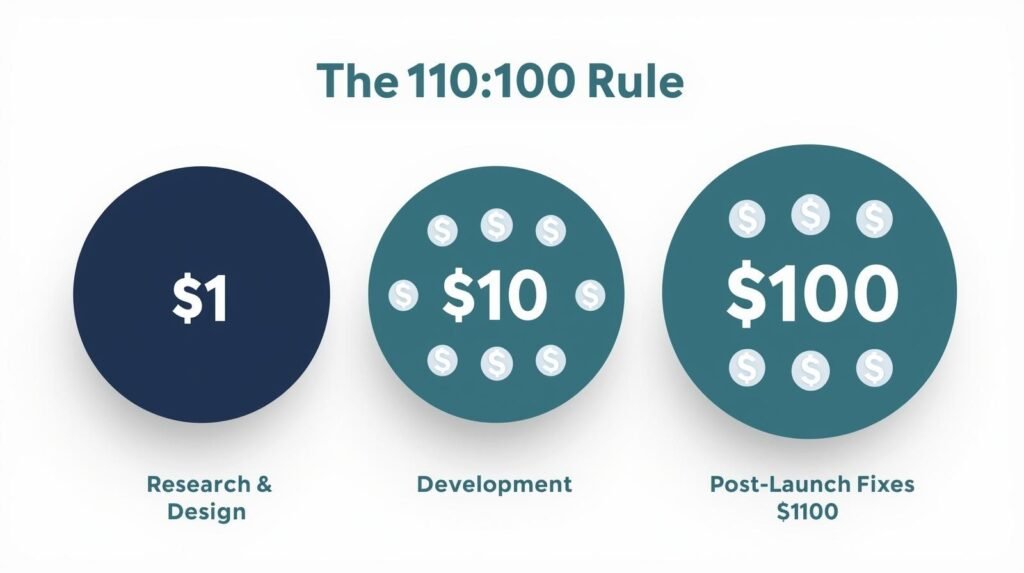
    1. Reducing Development Rework: The 1:10:100 Rule

    One of the most immediate returns on investment in professional design is the reduction of “technical waste.” In software engineering, there is a well-known principle called the 1:10:100 rule:

    • It costs $1 to fix a problem during the research and design phase.
    • It costs $10 to fix that same problem during development.
    • It costs $100 to fix it after the product has been launched.

    When you invest in professional UI/UX design upfront, you are creating a blueprint. Developers don’t have to guess how a feature should work or spend hours rewriting code because a workflow “didn’t feel right” in the final build. A high-fidelity prototype allows you to test logic and user flow before a single line of expensive code is written. This saves weeks of development time and prevents the need for costly “Version 1.1” patches immediately after launch.

    2. Lowering Customer Acquisition Costs (CAC)

    A common business challenge is driving high traffic to a web or mobile app, only to see a dismal conversion rate. If your marketing (PPC, SEO, SMM) is working, but your sales aren’t, the problem is likely your UI/UX.

    Professional design simplifies the path to purchase. By analyzing user behavior, designers can eliminate “friction points”—unnecessary form fields, confusing navigation, or slow-loading elements. According to studies, a well-designed user interface can raise your website’s conversion rate by up to 200%, and a better UX design could yield conversion rates up to 400%.

    When your conversion rate doubles, your Customer Acquisition Cost (CAC) effectively halves. That is a direct, bottom-line ROI that scales as your business grows.

    3. Increasing Customer Retention and Lifetime Value (LTV)

    In the software-as-a-service (SaaS) world, churn is the silent killer. If your software is difficult to use, customers will not stay, regardless of how powerful your features are.

    Users today have zero tolerance for complexity. They expect software to be intuitive. If they have to watch a 20-minute tutorial just to understand your dashboard, they will move to a competitor with a cleaner interface.

    Professional UX design focuses on “Time to Value”—how quickly a new user can achieve their first “win” with your product. By making the onboarding process seamless and the daily use of the software effortless, you increase user satisfaction. Satisfied users stay longer, refer others, and have a higher Lifetime Value (LTV).

    4. Slashing Support and Training Costs

    If your support team is overwhelmed with tickets that start with “How do I…” or “Where can I find…”, you don’t have a support problem; you have a design problem.

    Intuitive design is self-explanatory. When a system is built with a deep understanding of user psychology, the “next step” is always obvious. For enterprise software, this drastically reduces the cost of training staff. For consumer apps, it reduces the need for a massive customer support department. By investing in UX once, you permanently lower the operational overhead of running your software.

    5. Building Brand Equity and Trust

    We live in an era of “aesthetic credibility.” Users make a judgment about your business’s professionalism within 50 milliseconds of seeing your interface.

    A professional UI signals that your company is established, detail-oriented, and stable. This is particularly crucial for startups or B2B companies handling sensitive data. If the design is polished and the interactions are smooth, the user feels safe. That trust is an intangible but vital asset that makes every other part of your business—from sales calls to fundraising—significantly easier.

    How to Measure Your Design ROI

    To see the real-world impact of your UI/UX investment, track these four Key Performance Indicators (KPIs):

    1. Conversion Rate: The percentage of users who complete a desired action (sign-up, purchase, etc.).
    2. Support Ticket Volume: Are users calling for help because they are confused by the interface?
    3. Drop-off Rates: At which specific screen or step do users leave the application?
    4. Task Completion Time: How long does it take for a user to accomplish a core task? (Lower is almost always better).

    Conclusion: Design is a Business Decision

    The evidence is clear: companies that prioritize design outperform their competitors by a significant margin. The ui ux design return on investment manifests as faster development cycles, lower acquisition costs, and higher customer loyalty.

    At Code Nest, we don’t just “draw screens.” We build strategic interfaces designed to solve business problems and drive revenue. We understand that every pixel must serve a purpose and every interaction must move the needle for your bottom line.

    Is your software’s design holding back your growth? Contact Code Nest today for a UI/UX audit. Let’s transform your product into a high-converting, user-centric asset.


  • Redesigning Your Website? Don’t Lose Your SEO Ranking

    Redesigning Your Website? Don’t Lose Your SEO Ranking

    A website redesign is an exciting milestone for any business. It’s an opportunity to modernize your brand, improve user experience (UX), and implement the latest web technologies. However, for many business owners, this excitement is often overshadowed by a very real fear: “Will I lose my Google rankings?”

    The fear is justified. We have seen companies spend months on a beautiful new aesthetic, only to watch their organic traffic plummet by 50% or more within weeks of launching. This happens because Google doesn’t see your “pretty new buttons”—it sees a massive change in site architecture, URL structures, and content hierarchies. If you don’t provide a roadmap for the search engines, they will assume your old, high-ranking pages have simply vanished.

    At Code Nest, we treat a redesign as a “Site Migration.” Whether you are moving from WordPress to a Headless CMS or simply refreshing your Shopify theme, you must follow a strict website redesign seo checklist to protect your digital equity.

    Why Redesigns Often Kill SEO

    Search engines rank individual pages, not just websites. Over years of operation, your pages have built up “authority” through backlinks, internal linking, and user engagement. When you redesign, you often change the URL of a page (e.g., from /our-services to /services).

    If you don’t tell Google that the old page has moved to the new one, all that authority is lost. Google hits a 404 error, assumes the content is gone, and removes you from the search results. A redesign without an SEO strategy is like moving to a new house but forgetting to forward your mail.

    Phase 1: The Pre-Launch Audit

    Before a single line of code is written for your new site, you must document what is currently working. You cannot protect what you haven’t measured.

    1. Identify Your “Power Pages”

    Use Google Search Console or Ahrefs to identify your top-performing pages. These are the pages that drive the most traffic and hold the most backlinks. These pages are your “crown jewels.” During the redesign, these pages should undergo the least amount of structural or content change possible to ensure they maintain their rank.

    2. Crawl Your Current Site

    Use a tool like Screaming Frog to create a complete map of your existing URL structure. This crawl serves as your master list. You will need this to ensure every single old URL has a “home” on the new site.

    Phase 2: The 301 Redirect Map (The Most Critical Step)

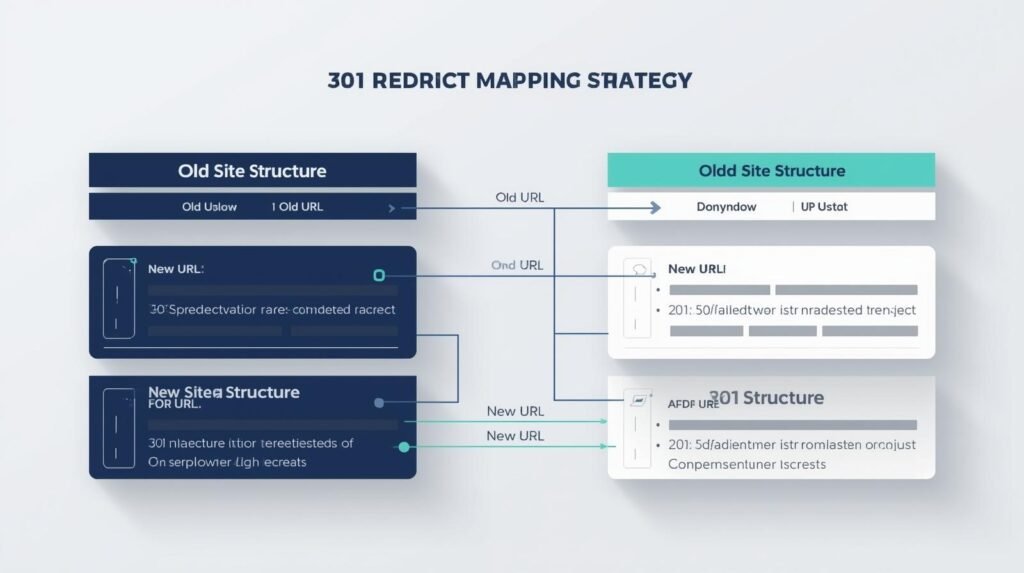
    If you ignore everything else in this guide, do not ignore this. A 301 redirect is a permanent instruction to a browser and search engine that a page has moved.

    As part of your website redesign seo checklist, you must create a spreadsheet that maps:

    • Column A: The Old URL
    • Column B: The New, Corresponding URL

    If a page on the old site is being deleted and has no equivalent on the new site, you should redirect it to the most relevant category page or, as a last resort, the homepage. Never let an old URL lead to a 404 error if it previously had traffic or backlinks.

    Phase 3: Content and Metadata Preservation

    It is tempting to rewrite every word of your website during a redesign. From a brand perspective, this makes sense. From an SEO perspective, it’s a gamble.

    If a page is already ranking #1 for a specific keyword, it’s because Google likes the current content, the H1 tags, and the keyword density. If you completely rewrite that page, you are essentially starting from scratch.

    Code Nest Strategy: Keep your high-performing content largely intact during the initial launch. Once the new site is indexed and rankings are stable, you can begin making incremental content updates. Furthermore, ensure that your Meta Titles and Descriptions are migrated to the new site. Losing these “behind-the-scenes” snippets can lead to a massive drop in Click-Through Rate (CTR) from the search results.

    Phase 4: Technical SEO in the New Build

    A redesign is the perfect time to fix the “technical debt” of your old site. To ensure Google favors the new version, focus on these three pillars:

    1. Site Speed and Core Web Vitals

    Google now uses page speed as a primary ranking factor. If your new design is beautiful but uses massive, unoptimized images and heavy JavaScript, your rankings will suffer. At Code Nest, we prioritize “Performance-First Design,” ensuring your new site scores in the green on Google’s PageSpeed Insights from day one.

    2. Mobile-First Indexing

    Google looks at the mobile version of your site to determine your rankings. Ensure that your new design isn’t just “responsive,” but truly optimized for mobile users. Elements shouldn’t be too close together, and the font should be legible without zooming.

    3. XML Sitemaps and Robots.txt

    When you launch, you need to provide Google with a new “map” (the XML sitemap) so it can find your new pages quickly. Simultaneously, ensure your robots.txt file isn’t accidentally blocking search engines—a common mistake made in staging environments that is often forgotten during the live push.

    Phase 5: Post-Launch Monitoring

    The work doesn’t end when you hit “Publish.” The first 14 days after a redesign are critical.

    • Monitor Search Console: Look for a spike in “404 Errors.” This indicates a redirect was missed.
    • Track Rankings: Use a rank-tracking tool to monitor your top 20 keywords. Small fluctuations are normal (the “Google Dance”), but a steady decline over a week indicates a structural SEO issue.
    • Check the “Site:” Command: Type site:yourdomain.com into Google. This shows you how many of your new pages have been indexed. If the number is significantly lower than your old site, there is a crawlability issue.

    Conclusion: Don’t Leave SEO to Chance

    A website redesign should be a springboard for growth, not a cause for a traffic collapse. By treating SEO as a foundational requirement rather than an afterthought, you can enjoy your new aesthetic while continuing to dominate the search results.

    Many agencies focus purely on the “look” of a site. At Code Nest, we are developers and SEO strategists. We ensure that your technical migration is flawless, your redirects are airtight, and your new site is faster and more visible than the one it replaced.

    Planning a redesign and worried about your traffic? Contact Code Nest today for a professional SEO migration audit. We’ll help you transition your site without losing a single ranking.

  • Cross-Platform vs. Native Apps: Making the Technical Choice

    Cross-Platform vs. Native Apps: Making the Technical Choice

    For a business owner or product manager, the “Native vs. Cross-Platform” debate is one of the most consequential decisions you will make. It isn’t just a technical preference for your developers; it is a strategic business decision that dictates your budget, your time-to-market, and the long-term maintainability of your product.

    The central question is simple: Should you build two separate apps (one for iOS and one for Android) using the specific languages of those platforms, or should you build one app that runs on both?

    While the idea of “writing once and running everywhere” sounds like a financial no-brainer, the reality is more nuanced. At Code Nest, we help clients navigate this choice by looking past the hype and focusing on the specific performance requirements and user experience goals of their project.

    Understanding Native Development: The Custom-Tailored Suit

    Native development involves writing code specifically for a single platform. For iOS, this means using Swift; for Android, it means using Kotlin or Java.

    Think of a Native app like a custom-tailored suit. It is designed precisely for the measurements of the wearer. Because the app is built using the tools provided by Apple or Google themselves, it has direct access to the device’s hardware—the camera, GPS, sensors, and processor—without any “middleman.”

    The Strengths of Native

    • Ultimate Performance: For apps that require heavy processing, such as high-end gaming, AR/VR, or complex video editing, Native is the only choice. It offers the smoothest animations and the fastest load times.
    • Platform-Specific UI: Every platform has its own design language. Native apps feel “at home” on their respective devices because they use standard system components.
    • Immediate Feature Access: When Apple or Google releases a new feature (like Dynamic Island or advanced haptics), Native developers can implement it on day one.

    The Business Downside

    The cost is the primary barrier. Building Native means hiring two separate teams (or paying one team twice as long) to build the same features twice. It also means maintaining two separate codebases for the life of the product.

    The Rise of Cross-Platform: Flutter and React Native

    Cross-Platform development allows developers to write one codebase that renders on both iOS and Android. In recent years, this technology has matured to the point where, for 90% of business applications, the user cannot tell the difference between a cross-platform app and a native one.

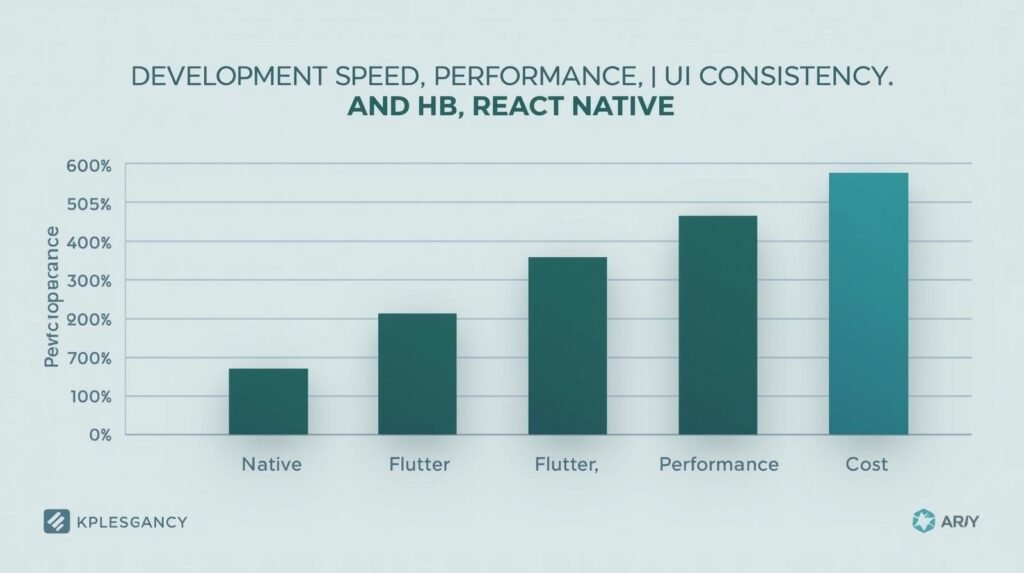
    When we talk about flutter vs react native vs native, we are looking at two distinct philosophies of “shared code.”

    1. React Native (The JavaScript Bridge)

    Created by Meta (Facebook), React Native uses JavaScript—the language of the web—to build mobile apps.

    • How it works: It uses a “bridge” to communicate with native components.
    • The Advantage: It has a massive ecosystem. If your company already has web developers who know React, the transition to React Native is seamless. It’s excellent for content-heavy apps like social media or e-commerce.

    2. Flutter (The UI Engine)

    Created by Google, Flutter takes a different approach. Instead of using a bridge to talk to native components, Flutter draws its own UI using its own high-performance engine (Skia).

    • How it works: It’s written in a language called Dart.
    • The Advantage: Flutter offers incredible consistency. Your app will look identical on a five-year-old Android phone and a brand-new iPhone. It is often faster than React Native because it avoids the “bridge” bottleneck, making it a favorite for startups that want a “wow” factor in their UI.

    Comparing the Costs: Upfront vs. Long-Term

    When choosing between flutter vs react native vs native, you must look at the total cost of ownership.

    Cross-Platform (Flutter/React Native):

    • Upfront: Generally 30% to 40% cheaper than building two native apps. You only need one team of developers.
    • Maintenance: Easier. When you want to change a feature or fix a bug, you do it once, and it pushes to both stores.

    Native Development:

    • Upfront: Expensive. You are essentially paying for two distinct projects.
    • Maintenance: More complex. If a bug appears on the iOS version but not Android, you have to diagnose and fix it specifically for that platform.

    Performance: Does the “Bridge” Really Matter?

    A common criticism of cross-platform apps is that they are “slow.” Five years ago, this was true. Today, for the vast majority of business use cases—dashboards, shopping carts, chat apps, and service marketplaces—the performance difference is negligible.

    Unless your app requires millisecond-perfect responsiveness for high-speed data processing or heavy 3D rendering, a well-optimized Flutter or React Native app will perform flawlessly. The “bottleneck” in modern apps is almost always the network (waiting for data from a server), not the language the app is written in.

    How to Choose: The Code Nest Decision Framework

    If you are unsure which path to take, ask your team these four questions:

    1. How complex is the UI? If you want a highly custom, brand-focused UI with unique animations that look the same on every device, Flutter is usually the winner.
    2. What is your existing tech stack? If your internal team is already proficient in JavaScript and React, React Native will get you to market fastest.
    3. Do you need deep hardware integration? If your app relies heavily on Bluetooth, custom camera filters, or low-level background processing, Native will save you from “integration headaches” down the line.
    4. What is your timeline? If you need to launch a Minimum Viable Product (MVP) on both stores within 3 months, Cross-Platform is the only viable path.

    The Verdict: The Future is Shared

    At Code Nest, we see the market moving decisively toward cross-platform solutions for enterprise and startup applications. The efficiency of maintaining a single codebase far outweighs the marginal performance gains of Native for most business applications.

    However, we don’t believe in a one-size-fits-all approach. We analyze your feature list and your 2-year roadmap before recommending a stack. Sometimes, a “Hybrid” approach—where the core app is cross-platform but specific high-performance features are written in Native code—is the best of both worlds.

    Building a mobile product is a major investment. Don’t let a technical mismatch drain your budget. Contact Code Nest today for a technical consultation to determine if Flutter, React Native, or Native is the right move for your project.


  • B2B vs. B2C Digital Marketing: Why Your Strategy Needs to Shift

    B2B vs. B2C Digital Marketing: Why Your Strategy Needs to Shift

    Marketing is often oversimplified as “finding customers and selling products.” While that is technically true, the methodology changes entirely depending on who sits on the other side of the screen. A person buying a $100 pair of sneakers (B2C) follows a psychological path that is worlds apart from a procurement officer purchasing a $50,000 enterprise software subscription (B2B).

    If you apply a B2C mindset to a B2B audience, you will burn through your ad budget with nothing to show but “vanity metrics.” Conversely, treating B2C customers with the formal rigidity of a B2B campaign will lead to high bounce rates and zero emotional connection.

    At Code Nest, we see many businesses struggle to scale because they are using the wrong playbook. To succeed, you must understand why your strategy needs to shift based on the nature of the transaction.

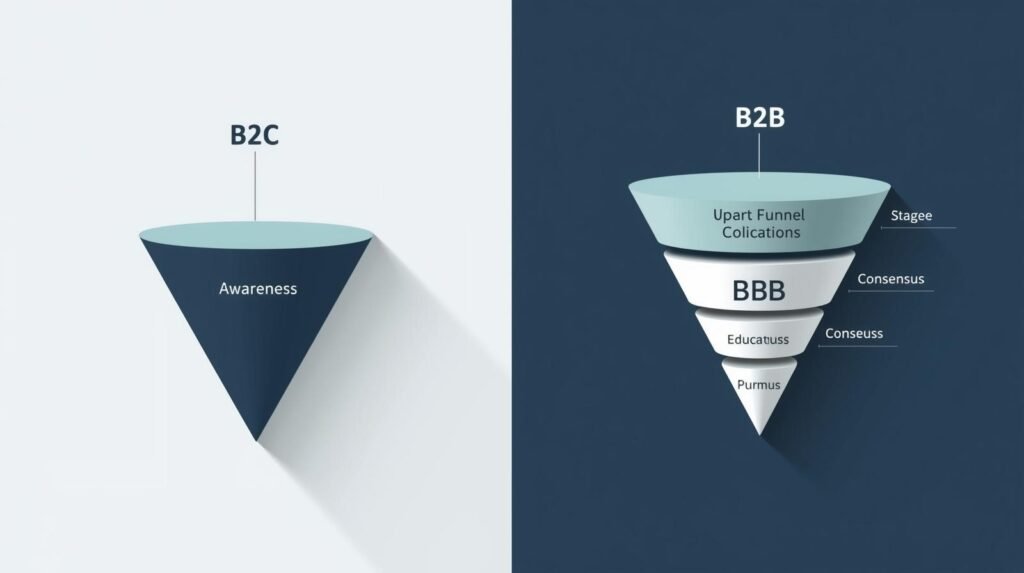
    The Core Difference: Logic vs. Emotion

    The most significant shift between these two worlds is the driver behind the purchase.

    In B2C (Business to Consumer), marketing is often fueled by emotion, desire, and immediate gratification. The goal is to make the consumer feel something. Whether it’s the status of a luxury watch or the convenience of a meal delivery app, the decision is usually made by a single individual, often in a matter of minutes.

    In B2B (Business to Business), the driver is logic, ROI, and risk mitigation. A B2B buyer isn’t just buying a product; they are making a business decision that affects their bottom line, their workflow, and potentially their job security. Because of this, a b2b digital marketing strategy must prioritize education and trust over flashy slogans.

    The Complexity of the Decision-Making Unit

    In B2C, you are marketing to one person. If they like the ad and the price is right, they click “buy.”

    In B2B, you are marketing to a “Decision-Making Unit” (DMU). On average, a B2B sale involves six to ten stakeholders. Your marketing content needs to speak to all of them:

    • The User: Wants to know if the tool is easy to use.
    • The Manager: Wants to know if it will increase team productivity.
    • The IT Director: Wants to know about security and integration.
    • The CFO: Wants to know about the long-term return on investment.

    Your digital strategy must provide specific content for each of these personas. A single Facebook ad won’t cut it; you need a multi-touch approach that guides these different players through a longer journey.

    Social Media Marketing (SMM): Choosing the Right Stage

    Social media is a powerful tool for both sectors, but the execution is vastly different.

    B2C SMM: Engagement and Trends

    For B2C brands, platforms like Instagram, TikTok, and Facebook are the primary battlegrounds. The strategy here revolves around high-frequency posting, leveraging viral trends, and utilizing influencer partnerships. The content should be visually stunning and shareable. The goal is to stay “top of mind” so that when the consumer is ready to buy, your brand is the first they think of.

    B2B SMM: Authority and Thought Leadership

    For B2B, LinkedIn is the undisputed leader. Here, the focus shifts from “likes” to “authority.” A successful B2B social strategy involves sharing whitepapers, industry insights, and case studies. You aren’t trying to entertain; you are trying to prove that your agency or company is a subject matter expert.

    At Code Nest, we help B2B clients develop “Thought Leadership” profiles for their executives. When a CEO shares a deep dive into industry trends, it builds more trust than any traditional advertisement ever could.

    PPC and Paid Ads: Volume vs. Value

    When it comes to Paid Search (PPC) and Social Ads, the metrics for success change.

    B2C PPC focuses on high volume and low Cost-Per-Acquisition (CPA). You want to drive as many people as possible to a product page. The keywords are often broad (“best running shoes”) and the ads focus on discounts, limited-time offers, or free shipping.

    B2B PPC is a different game. The search volume for B2B keywords is often much lower, and the Cost-Per-Click (CPC) can be significantly higher. However, a single lead can be worth thousands of dollars. Therefore, your ads should target specific, “long-tail” keywords that indicate high intent, such as “enterprise CRM for manufacturing.” Instead of sending them to a shop, B2B ads usually lead to a high-value resource, like a free audit or an industry report, in exchange for their contact information.

    Content Strategy: Entertainment vs. Education

    Content is the bridge between a stranger and a customer.

    For B2C, content should be fast-paced and snackable. Think 15-second videos, user-generated content, and lifestyle photography. It’s about fitting into the consumer’s daily life and providing a moment of value or entertainment.

    For B2B, content is the currency of trust. You need deep-form content:

    • Case Studies: Real-world proof that your solution works.
    • Whitepapers: Deep dives into technical problems.
    • Webinars: Direct interaction with potential leads.
    • Comparison Guides: Helping the buyer understand why you are better than the competition.

    B2B buyers are researchers. They will read five blog posts and download two guides before they ever pick up the phone to call your sales team.

    The Lifecycle of a Lead

    The final major difference is the length of the sales cycle.

    B2C brands focus on the “now.” If a customer doesn’t buy within a few days of seeing an ad, they likely never will. Retargeting ads are used to remind them of the item they left in their cart.

    B2B brands must be patient. A sales cycle can last anywhere from three months to over a year. Your digital marketing strategy must include a robust lead-nurturing system—usually through automated email marketing—that keeps your brand relevant throughout the entire evaluation period.

    Conclusion: Adapting Your Approach

    There is no one-size-fits-all in digital marketing. If you are a B2B company, stop chasing viral TikTok fame and start building an authoritative LinkedIn presence and a library of educational content. If you are a B2C brand, stop over-explaining your product and start showing how it improves the consumer’s life.

    At Code Nest, we specialize in tailoring SMM and PPC strategies to the specific needs of your market. We don’t just “run ads”; we build systems that respect the psychology of your specific buyer.

    Ready to pivot your strategy for maximum growth? Contact Code Nest today to consult with our SEO and Social Media experts.

  • Scaling E-Commerce: Preventing Crash During Peak Traffic

    Scaling E-Commerce: Preventing Crash During Peak Traffic

    A website crash during a high-stakes sales event is a nightmare scenario for any online retailer. When traffic surges during Black Friday, a product launch, or a viral social media campaign, your infrastructure faces a sudden, violent stress test. If it fails, you aren’t just losing immediate sales; you are damaging your brand reputation and wasting the marketing budget spent to drive that traffic in the first place.

    For growing e-commerce brands, moving from “stable” to “scalable” requires a fundamental shift in how you view your digital architecture. Whether you are running a high-volume Shopify store or a custom-built React application, the goal remains the same: ensuring the system remains responsive even when thousands of users hit the “Add to Cart” button simultaneously.

    Why Traditional Hosting Fails Under Pressure

    Most standard hosting plans are built for “average” days. They operate on a fixed resource model, meaning you have a set amount of CPU, RAM, and bandwidth. When your traffic exceeds these limits, the server queues up requests. If the queue becomes too long, the server timed out, resulting in the dreaded “504 Gateway Timeout” or a total site collapse.

    In high-traffic e-commerce hosting, “average” doesn’t matter. What matters is your “peak” capacity. If your baseline is 500 users a day but your peak is 50,000 users in an hour, a traditional server setup will buckle within seconds. Scalability is the ability of your system to handle that 100x increase without a drop in performance.

    The Architecture of Scale: Cloud vs. Legacy

    To prevent crashes, the architecture must be elastic. This is where cloud-based infrastructure outperforms legacy VPS or dedicated servers.

    1. Auto-Scaling Groups

    In a modern cloud environment (like AWS or Google Cloud), we utilize auto-scaling. Instead of one giant server trying to handle everything, the system monitors traffic in real-time. As the load increases, the infrastructure automatically spins up additional “instances” or virtual servers to share the load. When the traffic dies down, these instances are decommissioned to save costs.

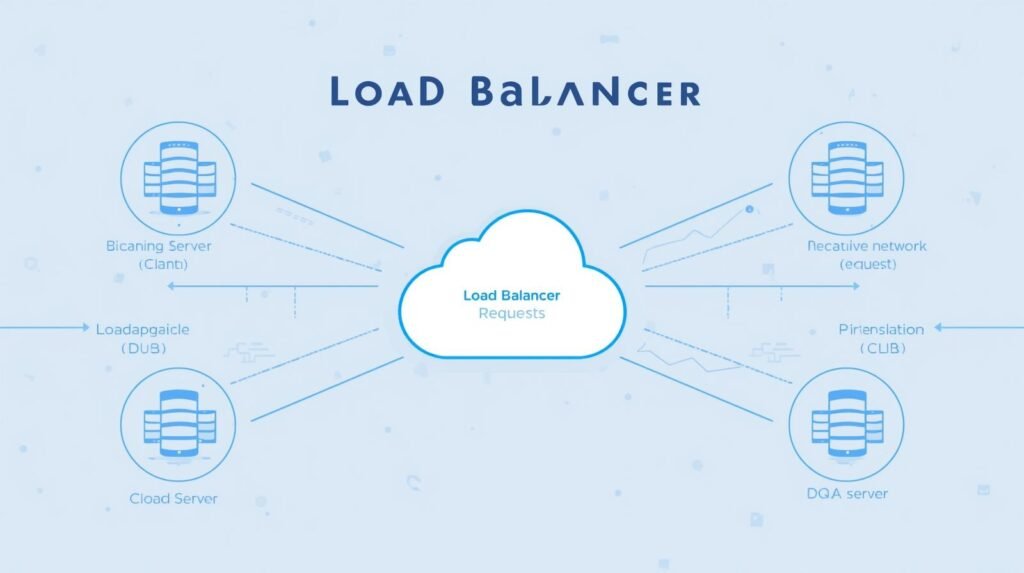
    2. Load Balancing: Distributing the Weight

    A load balancer acts as a traffic cop. It sits in front of your servers and distributes incoming requests across multiple healthy server instances. This prevents any single server from becoming a bottleneck. If one server fails, the load balancer identifies the issue and redirects traffic to the remaining functional servers, ensuring 100% uptime for the end user.

    3. Database Optimization

    Often, the website crash doesn’t happen at the “front” of the house; it happens in the database. Every time a user views a product, checks out, or updates their cart, a database query is made. During peak times, these queries can stack up. Implementing database “sharding” or using high-performance managed databases like Amazon Aurora ensures that the data layer scales alongside the web layer.

    Shopify vs. Custom Builds: Different Paths to Stability

    The strategy for preventing crashes depends heavily on your platform.

    The Shopify Approach

    Shopify is a SaaS (Software as a Service) platform, meaning they handle the core infrastructure for you. For most merchants, this is a massive advantage. Shopify’s environment is designed to handle massive global spikes.

    However, even Shopify stores can “crash” in a sense. The bottleneck usually isn’t the server; it’s the third-party apps. If you have a poorly coded “frequently bought together” app or a complex checkout customizer, those external scripts can slow down your site until it becomes unusable. For high-volume Shopify brands, Code Nest focuses on “app audits” and custom Liquid optimization to ensure the frontend remains lean and fast.

    The Custom Build Approach (React / Next.js / Headless)

    For brands that require custom functionality, a “headless” or custom build offers the most control. By separating the frontend from the backend (Decoupled Architecture), we can host the frontend on a Global Content Delivery Network (CDN).

    In this setup, the actual “pages” of your store are served from servers physically close to the user. This takes nearly all the load off your primary server. The only time the system talks to the database is for dynamic actions like inventory checks or final payments. This is the gold standard for enterprise-level e-commerce.

    The Pre-Peak Checklist: Preparing for the Storm

    Prevention starts weeks before the sale begins. At Code Nest, we guide our clients through a rigorous preparation phase.

    • Load Testing (Stress Testing): We use tools to simulate thousands of virtual users hitting your site at once. This reveals exactly where the system breaks—whether it’s the checkout API, the search bar, or the image server.
    • Content Delivery Network (CDN) Configuration: Ensure that all heavy assets (product images, videos, CSS files) are cached on the “edge.” This ensures your main server only handles essential data.
    • Code Freezes: Two weeks before a major event, you should implement a code freeze. No new features, no new apps, and no major design changes. This ensures the environment remains stable.
    • Third-Party Script Audit: Every tracking pixel, chat bot, and analytics script adds a millisecond of delay. During peak traffic, these milliseconds compound. Disable anything that isn’t mission-critical for the sale.

    The Role of Caching in E-Commerce Stability

    Caching is perhaps the most effective tool in the high-traffic e-commerce hosting arsenal. By storing a “snapshot” of a page, the server doesn’t have to rebuild that page every time a user visits.

    For a product page that doesn’t change frequently, the server can serve a cached version in a fraction of a second. This reduces the CPU load on your hosting environment by up to 90%. Implementing intelligent caching—where the system knows exactly when to refresh the cache (like when a product goes out of stock)—is what separates professional builds from amateur ones.

    Post-Peak Analysis: Learning from the Spike

    Once the sales event is over, the work isn’t done. Analyzing the server logs and traffic patterns is essential for the next scale-up. Did the mobile app users experience more lag than desktop users? At what exact number of concurrent users did the checkout start to slow down?

    This data allows us to refine the infrastructure, making it more resilient and cost-effective for the next surge.

    Partnering for Scale

    Scaling an e-commerce business is a sign of success, but it brings technical challenges that can threaten that very success. You shouldn’t be worried about your server status while you’re trying to manage inventory and fulfillment.

    Code Nest provides the technical backbone for growing brands. Whether you need a Shopify optimization audit or a custom-built, auto-scaling headless e-commerce solution, we ensure your site stays online when it matters most.

    Is your infrastructure ready for your next big sale? Contact Code Nest for a comprehensive site audit and performance optimization plan.

  • Is Headless CMS Right for Your Growing Business?

    Is Headless CMS Right for Your Growing Business?

    Introduction

    Most businesses begin with a traditional CMS like WordPress because it’s simple. The content, database, and theme live in a single system. Everything is tightly connected. For a small business with one website, that’s perfectly fine.

    But growth introduces complexity.

    What happens when you want the same content to show on:

    • a website
    • a mobile app
    • a smart watch
    • a digital kiosk
    • an internal dashboard

    Suddenly, a coupled CMS feels like a single restaurant where customers must sit at the same table to be served.

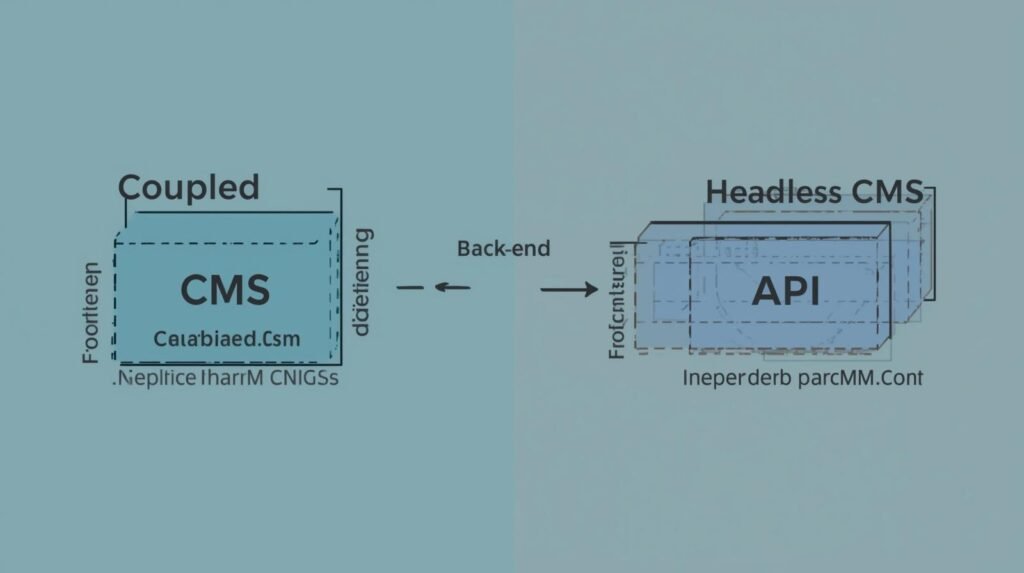
    A headless platform flips the model. It separates the content (the “body”) from the presentation layer (the “head”). Using APIs, you can send the same information to any screen or device.

    This architectural shift is why many scaling companies explore Headless. But the truth is simple: it’s not always the right choice. Headless offers freedom and power, but also requires more planning and development.

    This guide breaks down the headless CMS pros and cons in plain business terms—so you can decide whether it fits your roadmap.


    What Actually Is “Headless”? (The Explanation)

    Let’s simplify this with a restaurant analogy.

    Traditional CMS = Restaurant + Dining Room

    A traditional CMS:

    • stores the content
    • controls the presentation
    • manages themes
    • and renders pages

    Your diners must sit in the restaurant. If you want to serve food in a park, you can’t—because there’s no delivery system.

    Headless CMS = Central Kitchen + Delivery Anywhere

    A headless CMS:

    • stores content in one central system
    • exposes it via APIs
    • allows you to “deliver” the content to any frontend

    Website?
    Mobile app?
    Smart TV?
    Digital signage?

    All from the same kitchen.

    Another analogy: Netflix doesn’t rewrite its shows for TV, laptop, and phone. The content lives once and streams everywhere.

    That is decoupled architecture.

    The backend (body) is independent.
    The frontend (head) is replaceable.

    This is what developers mean when they say React headless CMS—you can choose the frontend framework because you’re not locked into a theme.


    The PROS of Going Headless

    Here’s where a headless system shines for scaling companies.

    1️⃣ Omnichannel Content Delivery

    Update a product name or price once—
    and it updates everywhere.

    That’s the core advantage.

    • Web
    • Android
    • iOS
    • Smart screens
    • SaaS dashboards

    For companies building across multiple platforms, headless saves enormous time.

    2️⃣ Technology Freedom

    Traditional systems force you to use:

    • specific themes
    • templating engines
    • plugin architecture

    With headless:

    • you can build using Next.js, React, Vue, Svelte
    • you control performance
    • you design pixel‑perfect UIs

    Development becomes flexible—not constrained.

    3️⃣ Security Benefits

    In a coupled CMS:

    • the frontend and backend live together
    • plugin vulnerabilities expose the whole system

    In headless:

    • databases are isolated
    • public traffic hits only the frontend
    • the content layer is shielded

    For high‑security industries (finance, healthcare, enterprise), this matters.

    4️⃣ Speed & Performance

    Pair headless with:

    • Static Site Generation (SSG)
    • CDN‑based caching
    • edge rendering

    …and you unlock extremely fast load times.

    Decoupling often results in:

    • lower server load
    • fewer database queries
    • better Core Web Vitals

    Speed = SEO + conversion uplift.


    The CONS (The Honest Truth)

    Headless is not a magic bullet. Here are realistic drawbacks.

    1️⃣ Higher Development Cost

    You don’t buy a theme.

    You build:

    • frontend
    • routing
    • templating

    Upfront cost = higher.

    2️⃣ Requires Developer Expertise

    Setting up:

    • API schemas
    • authentication
    • preview modes
    • caching strategies

    …is complex for DIY users.

    If you want plug‑and‑play editing, headless might frustrate you.

    3️⃣ Content Preview Challenges

    Traditional CMS = instant preview.

    Headless requires:

    • custom preview URLs
    • draft rendering
    • staging environments

    Agencies like Code Nest configure these systems, but they’re not native.

    Headless grants freedom—but demands discipline.


    Popular Headless Platforms (Short Breakdown)

    The current leaders are:

    Sanity

    • real‑time collaboration
    • flexible schema
    • strong for large content models

    Contentful

    • enterprise‑grade
    • mature ecosystem
    • excellent API reliability

    Strapi

    • open‑source
    • self‑hosted control
    • customizable and developer‑friendly

    These platforms align with modern frameworks like Next.js or Nuxt, enabling fast builds with react‑headless‑cms architecture.


    Headless CMS vs Traditional CMS

    Here’s a concise comparison:

    FeatureTraditionalHeadless
    FrontendLocked/themeAny framework
    Multi‑channelLimitedStrong
    SpeedHeavyFast via SSG
    SecuritySharedIsolated
    CostLowerHigher
    FlexibilityLowHigh

    Traditional = convenience
    Headless = scalability


    Who Should Switch? (The Checklist)

    Stay Traditional If:

    • you only run a basic website
    • budget is limited
    • you don’t need apps or multi‑channel delivery

    For local businesses or early startups, standard CMS works.

    Go Headless If:

    • you manage content across multiple platforms
    • your business requires security isolation
    • you run a SaaS product
    • performance and SEO matter
    • you want long‑term scalability

    The tipping point is usually:

    multiple frontends + frequent content updates + growth plans.


    The Verdict

    Headless is not about trends.

    It’s about control, flexibility, and scaling beyond a single website.
    The freedom is real, but so is the effort.

    Businesses planning:

    • mobile apps
    • international content delivery
    • complex permissions
    • long‑term growth

    …benefit most.

    If your business is expanding and you don’t want your CMS to become a bottleneck, headless is worth serious consideration.

    CTA:
    Confused by the architecture? Contact Code Nest to evaluate whether decoupled content is the right fit for your roadmap.

  • Local SEO Strategy: Getting Found by Customers in Your City

    Local SEO Strategy: Getting Found by Customers in Your City

    Search behavior has changed. People no longer type “best plumber” or “pizza restaurant.”
    They type “best plumber near me” or “pizza delivery in [City].”

    Those two extra words — near me — decide who gets the call and who gets ignored.

    You might offer better service, better pricing, even better customer support.
    But if your competitor owns the Google Map Pack, they get found first.

    Local SEO is not about ranking worldwide.
    It’s about dominating a 5‑mile radius where your customers live, drive, and search.

    If you want to win locally, you need a tactical plan — not guesswork.


    Google Business Profile: The Holy Grail of Local SEO

    The Google Business Profile (GBP) is the center of your local visibility.
    It is not just another social profile. It’s your digital storefront on Maps.

    When someone searches:

    • “Dentist near me”
    • “Car repair in [City]”
    • “Cafe open now”

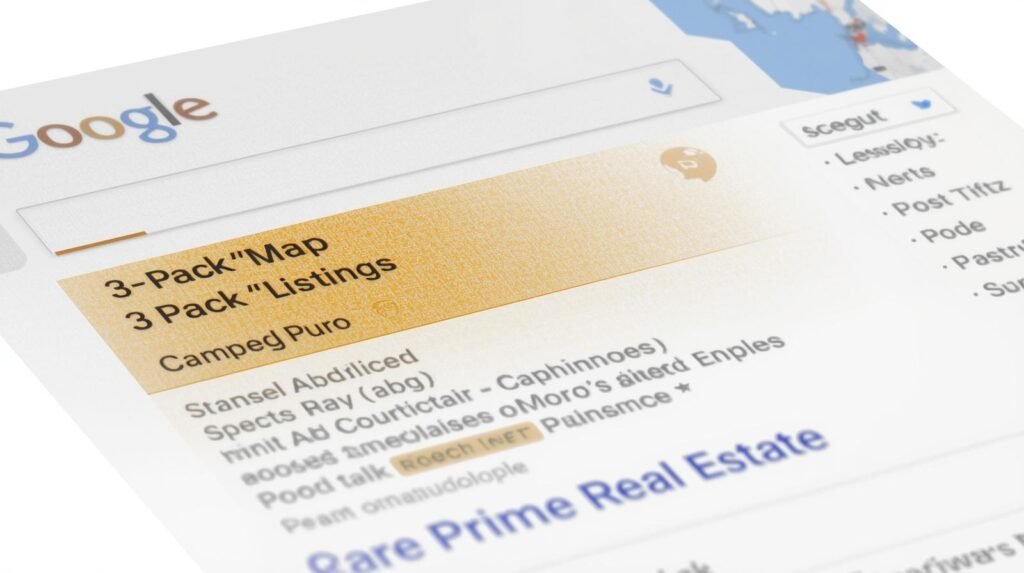
    Google shows the Map Pack first — three highlighted businesses sitting above organic results.
    This is prime real estate. Businesses in the Map Pack get the calls, direction clicks, and walk‑ins.

    To compete, you must:

    • Complete every field in GBP
    • Upload interior and exterior photos
    • Add services and service areas
    • Keep hours accurate (including holiday hours)
    • Add real products/menus if applicable

    Pro Tip: GBP posts expire every 7 days.
    Treat them like weekly micro‑ads.

    Post:

    • New offers
    • Events
    • Updates
    • Seasonal announcements

    Staying active signals freshness — a known ranking factor.


    NAP Consistency — The Silent Ranking Killer

    Local search depends heavily on one concept:

    N.A.P. — Name, Address, Phone.

    If Google sees different versions of your business info across the internet, it loses trust.

    Example:

    • Website: “123 Main St.”
    • Facebook: “123 Main Street Suite B”
    • Yelp: “123 Main St Suite 2”
    • Google: “123 Main Street”

    To a human, they look the same.
    To Google, they are four different entities.

    That confusion pushes you down in local rankings.

    Code Nest performs citation cleanup to ensure:

    • identical Name
    • identical Address formatting
    • identical Phone number formatting

    Trust equals ranking. Ranking equals calls.


    Reviews Are the New Currency of Local SEO

    Local ranking is no longer about who has the biggest billboard.
    It’s about who has the most consistent 5‑star proof.

    Google rewards:

    • high average rating
    • fresh reviews
    • reviews with keywords (“great plumber in Dallas”)
    • reviews with photos

    Create a review acquisition system:

    • send SMS review links after jobs
    • place QR codes on invoices
    • follow up via email within 24 hours

    Never buy fake reviews.
    Google detects patterns and can suspend profiles.

    A suspended GBP = zero visibility.


    Targeting Local Keywords on Your Website

    Most small businesses only use broad terms:

    • “Landscaping Services”
    • “Roofing Company”
    • “IT Support”

    You must localize your pages:

    • “Landscaping in [City]”
    • “24/7 Roofing Repair in [City]”
    • “IT Support for Small Businesses in [City]”

    If you serve multiple cities:

    • create separate location pages
    • organize them logically
    • avoid duplicating content
  • Website Maintenance: The Insurance Policy for Your Online Business

    Website Maintenance: The Insurance Policy for Your Online Business

    The Silent Killer: Neglect

    Business owners make the same mistake every week:
    They spend thousands building a website, launch it, admire it, and then treat it like a framed photo. Untouched. Unchecked. Unmaintained.

    They believe websites are “set and forget.”

    But a website is not a brochure.
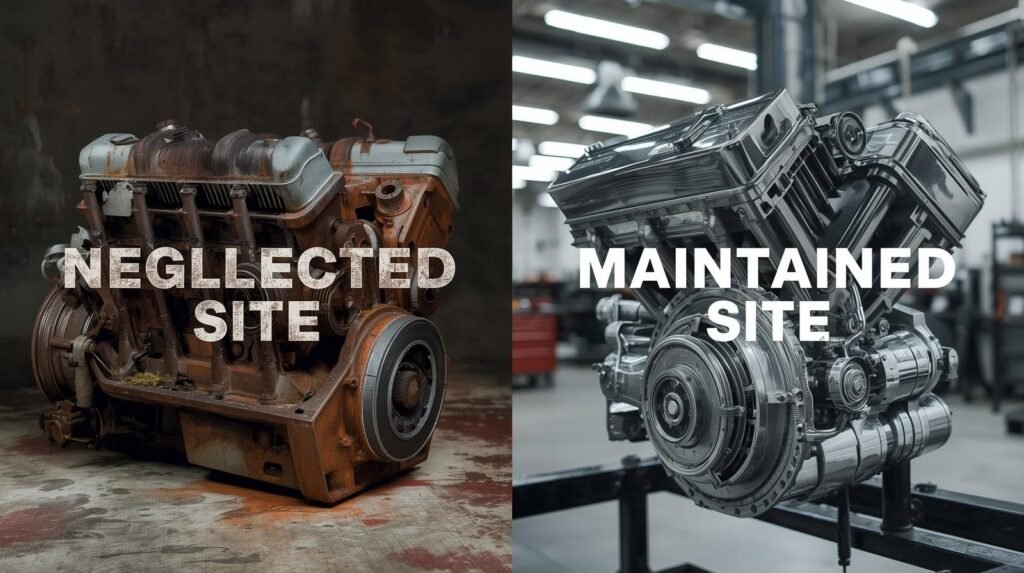
    It’s a machine.

    Machines need oil changes.
    Cars need servicing.
    Homes need insurance.

    Websites are no different.
    Code becomes outdated.
    Plugins become vulnerable.
    Servers age.
    Browsers evolve.

    Maintenance isn’t about fixing disasters.
    It’s about preventing them—before they cost you money, customers, and reputation.

    That’s the true value of website maintenance packages.


    Security Vulnerabilities: The Open Door Hackers Are Waiting For

    Everyone fears the word “hack.”
    Few understand how simple it is for one outdated plugin to give intruders access.

    Content Management Systems—especially WordPress—release updates to patch new vulnerabilities. When you ignore those updates, you’re leaving your front door unlocked.

    That red Update button?
    It’s not optional.

    And clicking it blindly is dangerous too.
    Updates can break the theme, the checkout, or the entire dashboard.

    At Code Nest, we update in a dedicated staging environment first—then push safely to production. No guesswork. No crashes. No panic.

    Security is not a luxury.
    It’s a responsibility—especially when customer data is on the line.


    The Financial Reality of Downtime

    Picture this:

    Your store crashes on a Saturday morning.
    You notice it at noon.
    Your developer replies Monday.

    Those 48 hours?

    Lost leads.
    Lost sales.
    Lost trust.

    The math is simple:

    Downtime revenue loss > monthly website support cost

    Yet many companies ignore this until the first emergency.

    With Code Nest maintenance, downtime rarely happens.
    And if it does, we receive the alert before you do, thanks to real‑time uptime monitoring.

    A website that’s down at midnight shouldn’t wait until morning.
    We treat downtime like a burst pipe—not a minor inconvenience.


    SEO Penalties on Neglected Sites

    A website’s lifespan isn’t measured only in visuals.
    It’s measured in performance.

    Without maintenance:

    • databases bloat
    • broken links multiply
    • speed slows
    • 404 errors spread

    Google notices.
    Customers notice.
    Conversion rates drop.

    Ranking loss is a silent consequence.
    You won’t see it overnight.
    But you will feel it in fewer inquiries, fewer sales, fewer calls.

    Maintenance protects search visibility—just like insurance protects physical property.


    What a Code Nest Maintenance Package Includes

    A real maintenance package is not:

    “Click update every month.”

    It’s a professional service—engineered for prevention, reliability, and security.

    Code Nest provides:

    • Automated Daily Off‑Site Backups
    • Safe staging Plugin & Core Updates
    • Malware Removal Service
    • Security Scanning
    • Speed Optimization
    • Uptime Monitoring & Alerts
    • Priority Emergency Support
    • Dedicated Monthly Health Report

    Your site isn’t guess‑worked.
    It’s monitored.
    Reviewed.
    Supported.


    DIY Maintenance: The Dangerous Shortcut

    “If an update button exists, I can maintain it myself.”

    Yes.
    Just like you could:

    • fix your car bumper
    • repair a leaking pipe
    • sew your suit

    But you probably don’t.

    Because a small mistake becomes a larger expense.

    One broken update can trigger:

    • “white screen of death”
    • checkout failure
    • plugin conflicts
    • broken contact forms
    • corrupted databases

    Ask yourself:

    If your website fails after a manual update,
    do you know how to roll back a server snapshot, restore backups,
    or debug PHP errors?

    Code Nest does.

    That’s what clients pay for:

    Prevention. Expertise. Peace of mind.


    Maintenance as Insurance: The Car Analogy

    Imagine skipping oil changes for 3 years.

    The car still drives today.
    No problem.

    Until the engine seizes—
    and the repair cost is ten times the cost of maintenance.

    That’s website neglect.

    You don’t feel the pain today.
    But the damage compounds quietly.

    Website maintenance packages are not a cost.
    They are insurance against:

    • downtime
    • hacks
    • lost rankings
    • broken updates
    • data loss
    • brand damage

    You wouldn’t drive uninsured.
    Don’t run a business website without protection.


    Who Needs Website Maintenance?

    If your site:

    • collects leads
    • processes payments
    • stores customer data
    • runs on WordPress
    • uses plugins
    • powers your marketing

    …then maintenance is not optional.

    Even static sites benefit from:

    • performance audits
    • uptime monitoring
    • backup retention
    • hosting optimization

    Every website is vulnerable.
    Every website ages.
    Every website needs care.


    The Code Nest Verdict

    Maintenance isn’t about fixing disasters.
    It’s about preventing them—quietly, professionally, consistently.

    A well‑maintained site:

    • loads faster
    • ranks higher
    • converts more
    • stays secure
    • avoids downtime

    Which means:

    Maintenance → Revenue Protection.
    Neglect → Revenue Loss.

    If your website makes money or supports your business,
    it deserves the same protection you give:

    • your car
    • your home
    • your equipment
    • your office

    Your website is an asset.
    Insurance protects assets.
    Maintenance is that insurance.


    CTA

    Protect your investment.
    Protect your reputation.

    Secure your website with a Code Nest maintenance package today.