
asking “How much for an app?” is tricky. We break down the real costs for MVP, Mid-Level, and Enterprise apps, plus hidden maintenance fees.
Introduction
Every founder eventually asks the same question: “How much does it cost to build a mobile app?” The short answer is: more than a shed, less than a skyscraper. Like construction, the scale, materials, and engineering determine the final price.
A simple MVP is a studio apartment. A mid-tier business app is a three-bedroom house. An enterprise-grade platform is a commercial skyscraper with elevators, security, and redundancy. The real goal here is transparency. This blog provides realistic 2025 price tiers instead of vague, evasive estimates.
The 3 Main Price Tiers (Be Specific)
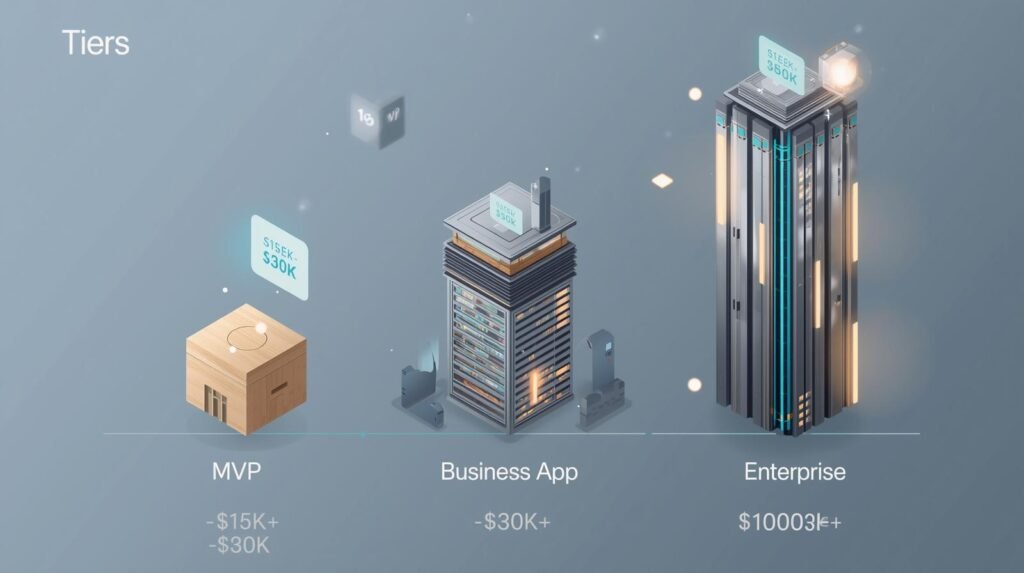
App pricing varies by complexity, not ambition. Building “an app like Uber” isn’t cheap—because it’s not just screens and buttons. It’s real-time logistics, mapping, payments, and driver logic. Below are the realistic 2025 ranges.
The Simple / MVP App — Between $15,000 and $30,000
This tier exists to validate ideas before executives burn capital. Features are minimal by design:
- Basic screens
- Simple account logic
- Standard UI
- Limited integrations
Think restaurant menu display, appointment booking, or internal tool. It won’t win design awards, but it achieves proof-of-concept. Most sensible founders start here to measure demand before scaling.
The Business Pro App — Between $30,000 and $80,000
This is the category most commercial projects land in. It adds complexity and polish:
- Secure logins
- Payment systems
- Push notifications
- Third-party integrations (Maps, Stripe, Social login)
Expect polished visuals and scalable architecture. For most businesses, this tier delivers competitive parity in crowded markets.
The Enterprise “Uber-Like” App — $100,000+
This category isn’t inflated—it reflects the real engineering effort. Features include:
- Real-time tracking
- Role-based dashboards
- Complex backend logic
- High security
- Cloud scaling
- Advanced analytics
You’re not paying for screens. You’re paying for distributed systems, uptime, and data integrity.
If someone quotes $20,000 for an Uber-level app, they’re lying, inexperienced, or planning to cut corners that will cost you more later.
Where Does the Money Actually Go? (Cost Drivers)
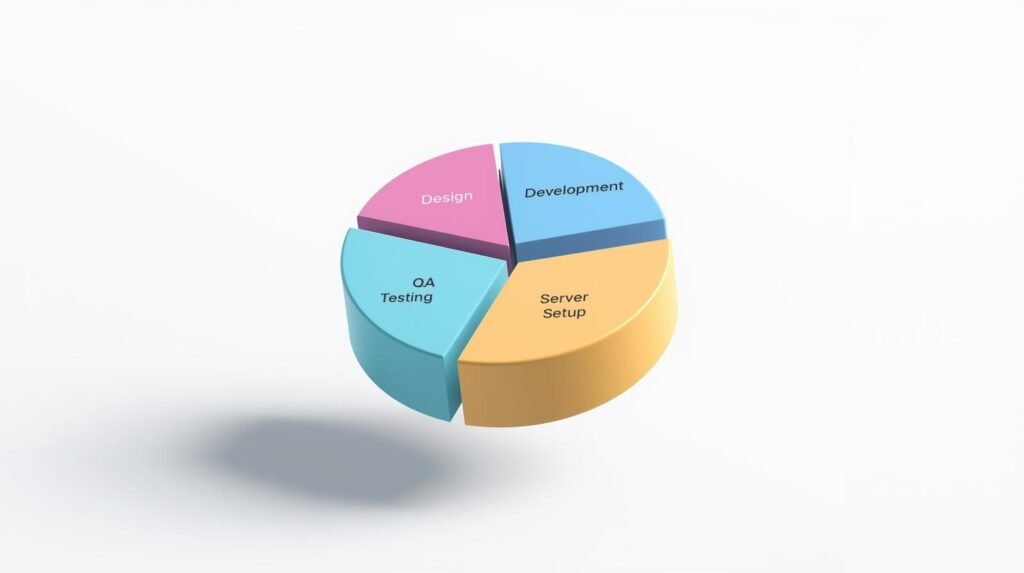
Most business owners assume app development is 80% typing and 20% design. In reality, coding is only part of the expense.
UI/UX Design
Design defines the app’s structure. A solid UX blueprint prevents wasted engineering hours. Fixing a design flaw late in development is exponentially more expensive. Expect $4,000 to $15,000 of your budget here—depending on screen count.
Backend Engineering
The backend is the silent powerhouse—authentication, payments, notifications, analytics, and cloud logic. It’s invisible to users, but essential. Expect this to consume 40%+ of total cost.
Quality Assurance (QA) / Testing
Testing covers:
- iOS devices
- Android devices
- Screen sizes
- OS versions
Skipping QA saves money temporarily but risks 1-star reviews, refunds, and support costs. Testing typically accounts for 15–25% of budget.
The Money Saver: Native vs. Cross-Platform
This is where Code Nest optimizes—not inflates—budgets.
Native (Swift / Kotlin)
You build two separate apps.
- One for iOS
- One for Android
That means two codebases, two teams, and double maintenance. If the iOS version costs $70,000, expect another $70,000 for Android.
Cross-Platform (React Native / Flutter)
You build once. It runs everywhere.
Typical savings: 30–40% of total cost.
For example:
- Native build: $100,000+
- Cross-platform build: $60,000–$70,000
This is why most businesses should start cross-platform unless they require advanced native-only capabilities.
Code Nest prioritizes these stacks because they reduce cost without sacrificing performance.
The Hidden Costs (Post-Launch)
App development isn’t finished at launch. Stores, servers, and users demand updates.
Server & Hosting Costs
Cloud hosting varies:
- Small MVP: $50/mo
- Mid-tier: $200–$500/mo
- High scale: $1,000+/mo
If your app handles images, GPS, or real-time data, expect higher costs.
Maintenance & Updates
Apple and Google constantly revise OS releases and app store policies. Without maintenance, apps break or get delisted.
Realistic annual maintenance budget:
20–25% of initial build cost.
A $60,000 app = $12,000–$15,000/year in upkeep.
Support requests, bug patches, server monitoring, API updates—all must be maintained to avoid downtime.
Skipping this budget is a common founder mistake.
What About Offshore Teams vs. Local Agencies?
Offshore teams promise low estimates. But cost savings can be erased by:
- miscommunication
- timezone lag
- weak documentation
- unstable code
- lack of support
You save upfront, but pay later.
Local agencies often deliver lower lifecycle TCO because:
- Code is maintainable
- Architecture scales
- Support is reliable
- Compliance and security are respected
The measure is not initial cost—it’s failure cost.
The Smart Path: Start with MVP
Don’t drop $100,000 on day one. That’s reckless. The financially responsible path is:
- Build an MVP ($15,000–$30,000)
- Validate traction
- Iterate
- Scale
This approach protects capital and ensures you don’t fund features users never asked for.
Example Cost Scenarios
Scenario A — Retail Store Loyalty App
- MVP Loyalty System
- Cross-platform
- Basic backend
$25,000–$40,000
Scenario B — Delivery Tracking App
- Real-time GPS
- Payment
- Messaging
$60,000–$120,000
Scenario C — SaaS Mobile Platform
- Multi-role dashboards
- Cloud analytics
- Security audits
$150,000+
Practical Advice (From a Product Manager)
- Avoid feature creep
- Choose cross-platform for phase one
- Treat backend as the priority
- Budget maintenance upfront
- Invest in UX early
- Get a line-item quote, not a lump sum
These reduce cost without compromising output.
Call to Action
Got an idea? Let Code Nest produce a transparent budget with line-item clarity. We don’t oversell tech stacks—we recommend solutions that protect your capital and reduce long-term burn.
Request a quote that tells you exactly where every dollar goes.
Leave a Reply