
Introduction
Most businesses begin with a traditional CMS like WordPress because it’s simple. The content, database, and theme live in a single system. Everything is tightly connected. For a small business with one website, that’s perfectly fine.
But growth introduces complexity.
What happens when you want the same content to show on:
- a website
- a mobile app
- a smart watch
- a digital kiosk
- an internal dashboard
Suddenly, a coupled CMS feels like a single restaurant where customers must sit at the same table to be served.
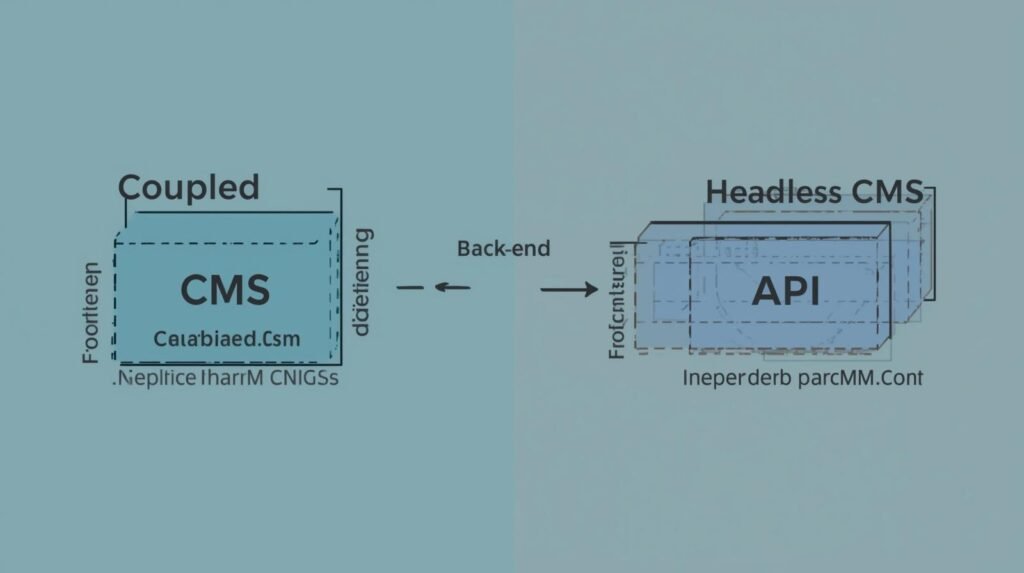
A headless platform flips the model. It separates the content (the “body”) from the presentation layer (the “head”). Using APIs, you can send the same information to any screen or device.
This architectural shift is why many scaling companies explore Headless. But the truth is simple: it’s not always the right choice. Headless offers freedom and power, but also requires more planning and development.
This guide breaks down the headless CMS pros and cons in plain business terms—so you can decide whether it fits your roadmap.
What Actually Is “Headless”? (The Explanation)
Let’s simplify this with a restaurant analogy.
Traditional CMS = Restaurant + Dining Room
A traditional CMS:
- stores the content
- controls the presentation
- manages themes
- and renders pages
Your diners must sit in the restaurant. If you want to serve food in a park, you can’t—because there’s no delivery system.
Headless CMS = Central Kitchen + Delivery Anywhere
A headless CMS:
- stores content in one central system
- exposes it via APIs
- allows you to “deliver” the content to any frontend
Website?
Mobile app?
Smart TV?
Digital signage?
All from the same kitchen.
Another analogy: Netflix doesn’t rewrite its shows for TV, laptop, and phone. The content lives once and streams everywhere.
That is decoupled architecture.
The backend (body) is independent.
The frontend (head) is replaceable.
This is what developers mean when they say React headless CMS—you can choose the frontend framework because you’re not locked into a theme.
The PROS of Going Headless
Here’s where a headless system shines for scaling companies.
1️⃣ Omnichannel Content Delivery
Update a product name or price once—
and it updates everywhere.
That’s the core advantage.
- Web
- Android
- iOS
- Smart screens
- SaaS dashboards
For companies building across multiple platforms, headless saves enormous time.
2️⃣ Technology Freedom
Traditional systems force you to use:
- specific themes
- templating engines
- plugin architecture
With headless:
- you can build using Next.js, React, Vue, Svelte
- you control performance
- you design pixel‑perfect UIs
Development becomes flexible—not constrained.
3️⃣ Security Benefits
In a coupled CMS:
- the frontend and backend live together
- plugin vulnerabilities expose the whole system
In headless:
- databases are isolated
- public traffic hits only the frontend
- the content layer is shielded
For high‑security industries (finance, healthcare, enterprise), this matters.
4️⃣ Speed & Performance
Pair headless with:
- Static Site Generation (SSG)
- CDN‑based caching
- edge rendering
…and you unlock extremely fast load times.
Decoupling often results in:
- lower server load
- fewer database queries
- better Core Web Vitals
Speed = SEO + conversion uplift.
The CONS (The Honest Truth)
Headless is not a magic bullet. Here are realistic drawbacks.
1️⃣ Higher Development Cost
You don’t buy a theme.
You build:
- frontend
- routing
- templating
Upfront cost = higher.
2️⃣ Requires Developer Expertise
Setting up:
- API schemas
- authentication
- preview modes
- caching strategies
…is complex for DIY users.
If you want plug‑and‑play editing, headless might frustrate you.
3️⃣ Content Preview Challenges
Traditional CMS = instant preview.
Headless requires:
- custom preview URLs
- draft rendering
- staging environments
Agencies like Code Nest configure these systems, but they’re not native.
Headless grants freedom—but demands discipline.
Popular Headless Platforms (Short Breakdown)

The current leaders are:
Sanity
- real‑time collaboration
- flexible schema
- strong for large content models
Contentful
- enterprise‑grade
- mature ecosystem
- excellent API reliability
Strapi
- open‑source
- self‑hosted control
- customizable and developer‑friendly
These platforms align with modern frameworks like Next.js or Nuxt, enabling fast builds with react‑headless‑cms architecture.
Headless CMS vs Traditional CMS
Here’s a concise comparison:
| Feature | Traditional | Headless |
|---|---|---|
| Frontend | Locked/theme | Any framework |
| Multi‑channel | Limited | Strong |
| Speed | Heavy | Fast via SSG |
| Security | Shared | Isolated |
| Cost | Lower | Higher |
| Flexibility | Low | High |
Traditional = convenience
Headless = scalability
Who Should Switch? (The Checklist)
Stay Traditional If:
- you only run a basic website
- budget is limited
- you don’t need apps or multi‑channel delivery
For local businesses or early startups, standard CMS works.
Go Headless If:
- you manage content across multiple platforms
- your business requires security isolation
- you run a SaaS product
- performance and SEO matter
- you want long‑term scalability
The tipping point is usually:
multiple frontends + frequent content updates + growth plans.
The Verdict
Headless is not about trends.
It’s about control, flexibility, and scaling beyond a single website.
The freedom is real, but so is the effort.
Businesses planning:
- mobile apps
- international content delivery
- complex permissions
- long‑term growth
…benefit most.
If your business is expanding and you don’t want your CMS to become a bottleneck, headless is worth serious consideration.
CTA:
Confused by the architecture? Contact Code Nest to evaluate whether decoupled content is the right fit for your roadmap.
Leave a Reply